Best Gaming Keyboard Switches 2026: Linear, Tactile, Magnetic & Hall Effect, Explained
Every switch type explained and ranked for 2026: linear vs tactile vs clicky mechanicals, Hall Effect and TMR magnetic switches, Rapid Trigger, adjustable actuation, and what competitive players actually use — with real recommendations at every price point.
By GamepadSquire — August 9, 2026Verified
Best Gaming Keyboard Switches 2026: Linear, Tactile, Magnetic & Hall Effect, Explained
The single most important decision in any mechanical keyboard purchase isn't the brand, the layout, or the RGB — it's the switch. The switch determines how much force every keystroke needs, whether you feel a bump as the key registers, how loud the board is, and — in 2026 — whether you can tune the actuation point to your exact playstyle. Yet it's also the most confusing spec on the box, buried under acronyms like MX, HE, TMR, and "Rapid Trigger."
The 2026 market is really two markets wearing the same name. Traditional mechanical switches — the metal-contact linear, tactile, and clicky designs that defined the category for four decades — still dominate typing-focused boards and the enthusiast scene. And magnetic switches — Hall Effect (HE) and the newer TMR sensor type — have taken over the competitive-FPS conversation entirely, unlocking adjustable actuation and Rapid Trigger that no contact-based switch can offer. RTINGS, which has bought and lab-tested 153 keyboard switches, crowns a Cherry speed linear as its top gaming switch overall — while data from Wooting shows its magnetic boards are now the most-used keyboards among professional Valorant and CS2 players. Both statements are true, and the gap between them is the whole story of this guide.
We've synthesized RTINGS' standardized test bench (Mecmesin force tester for switch curves, Beagle 480 USB analyzer for latency), the community consensus from r/MechanicalKeyboards and r/keyboards, manufacturer spec sheets, and thousands of owner reviews to explain what each switch type actually does, who it's for, and what will annoy you about it after a few months. This is the switch explainer that feeds every keyboard review on GamepadSquire.
Quick Picks
| Switch / Board | Type | Actuation | Best For |
|---|---|---|---|
| Cherry MX Speed Silver | Mechanical linear | 1.2–1.4mm, 45gf | Overall best gaming switch (RTINGS' top pick) |
| Kailh Speed Silver | Mechanical linear | 1.3mm, 40gf | Budget linear, nearly identical performance |
| Kailh Speed Copper | Mechanical tactile | 1.1mm, 42gf | Tactile feel without gaming compromises |
| Kailh Speed Bronze | Mechanical clicky | 1.4mm, 53gf | Clicky fans who still want speed |
| Kailh Box Silent Pink | Mechanical linear (silent) | 1.8mm, 40gf | Quiet gaming, shared spaces |
| Gateron Magnetic Jade | Hall Effect linear | Adjustable 0.1–4.0mm | Best-value magnetic switch for custom builds |
| Wooting 80HE (Lekker V2) | Hall Effect linear | Adjustable, true 8K polling | The competitive-FPS endgame |
| MonsGeek FUN60 Ultra (TMR) | TMR magnetic linear | 0.1–3.4mm, 0.01mm steps | Budget TMR with Rapid Trigger + wireless |
| EPOMAKER HE68 Lite | Hall Effect linear | 0.1–3.4mm, 8K polling | Cheapest genuine Rapid Trigger (~$42) |
Linear vs Tactile vs Clicky: The Three Mechanical Families
Every traditional mechanical switch is one of three types, defined by what happens between pressing the key and the key bottoming out.
Linear switches travel straight down with no bump and no click — smooth and uninterrupted from top to bottom. They're the default recommendation for gaming because there's no tactile event to overcome before the key actuates, which translates to a slightly faster, more consistent press. The classic is the Cherry MX Red (45gf actuation, 2.0mm actuation point, 4.0mm total travel), and the gaming-focused variant is the Cherry MX Speed Silver, which cuts actuation to roughly 1.2mm. The tradeoff: with no feedback, it's easier to bottom out hard and slightly easier to press keys you didn't mean to — a light linear under a heavy hand can produce accidental inputs, a complaint that shows up across owner reviews of the lightest linears.
Tactile switches have a small bump partway down the travel that gives your finger physical confirmation the key has registered. The Cherry MX Brown (45gf) is the world's most widely used switch and the default "safe" choice: mild bump, moderate everything. Heavier tactiles like the Boba U4T or Holy Panda (60–67gf) offer a much more pronounced bump. Tactile switches are the favorite of typists — the bump reduces errors because your fingers feel each registration — but the bump is also a tiny speed penalty in fast-twitch games, which is why competitive players skew linear.
Clicky switches add an audible click (via a click jacket or click bar) on top of the tactile bump. The Cherry MX Blue (50gf) and the Kailh Box Jade are the classics. They feel satisfying and are excellent for typing feedback, but they're loud — genuinely disruptive in shared spaces — and the extra mechanism makes them slightly slower for rapid re-presses. In the gaming conversation, clicky switches are a niche: fine if you love the sound, a bad idea in an open office or a bedroom shared with a sleeping partner.
The community consensus across r/MechanicalKeyboards threads is consistent: if you mostly game, start with a linear; if you mostly type and want feedback, start with a tactile; only pick clicky if the sound is a feature, not a bug. Reddit's most common advice for undecided buyers is to buy a switch tester (a $10–20 sampler) before committing — a recommendation we endorse, because switch preference is genuinely subjective in a way no spec sheet captures.
The Brands: Cherry vs Gateron vs Kailh
The three names you'll see on 90% of stock boards and aftermarket switches are Cherry, Gateron, and Kailh.
Cherry MX is the German original (founded 1953) and still the quality benchmark: precise quality control, a documented 100-million-keystroke rating, and the MX stem mount that is the industry standard for keycap compatibility. Its main criticism in 2026 is that its linears are scratchier out of the box than competitors' — a roughness enthusiasts notice, though the newer MX2A generation has narrowed the gap.
Gateron is the Chinese company that built its reputation on Cherry clones and then surpassed them on smoothness. Gateron linears — particularly the Milky Yellow Pro V2 and G Pro series — are widely regarded as smoother out of the box than Cherry's, thanks to POM stems and increasingly good factory lubing, and they cost roughly 40–60% less per switch. That value is why Gateron dominates mid-range prebuilts like the Keychron lineup, and why the Gateron Yellow is the community's default "smooth budget linear" answer.
Kailh is the innovation house: the Box series (with dust- and water-resistant box housings), the speed series (Silver, Copper, Bronze — short-pretravel switches built explicitly for gaming), and the silent series. If you want a switch engineered for gaming speed specifically, Kailh's speed family is the most complete lineup available.
The 2026 practical verdict from press reviews and community feedback alike: for gaming linears, Gateron and Kailh deliver the best smoothness per dollar; for tactile and clicky reliability, Cherry remains the safe benchmark. Brand loyalty matters far less than choosing the right type — a Gateron Yellow and a Cherry MX Red will feel more similar to each other than either feels to a tactile switch.
Magnetic Switches: Hall Effect, Rapid Trigger, and the Competitive Takeover
Here's where 2026's keyboard conversation actually lives. Hall Effect (HE) switches replace the metal-contact mechanism entirely: a magnet sits in the switch stem, and a sensor on the PCB reads the magnetic field strength continuously across the key's travel. There are no contacts to wear out, no debounce to filter, and — critically — the keyboard always knows exactly how far down every key is, not just whether a circuit is open or closed.
That single change unlocks two features no mechanical switch can offer:
Adjustable actuation. On a mechanical switch, the actuation point is stamped into metal — a Cherry MX Red actuates at 2.0mm no matter what. On a magnetic board, you set it in software, from 0.1mm (hair-trigger) to 4.0mm (deep, accident-resistant), per key, per profile, per game.
Rapid Trigger. This is the feature that actually changes competitive outcomes. A mechanical key must travel back past its fixed reset point (1.6mm on most linears) before it can register again. Rapid Trigger eliminates the fixed reset point: the key deregisters the instant it starts moving up and re-registers the instant it starts moving down, with sensitivity configurable down to 0.1mm. For counter-strafing in CS2 and Valorant — where shooting requires stopping movement first — the game detects your movement stop the moment your finger begins lifting, measurably earlier than any fixed-reset switch allows.
The pro-scene data is striking. Wooting, which pioneered Rapid Trigger in 2022, reports the Wooting 60HE+ was the most-used keyboard among tracked Valorant professionals at 28.35%, and the Wooting 80HE leads CS2 professionals at 20.91%, as of January 2026. By 2026 every major brand — Razer, SteelSeries, Corsair, Logitech, Keychron, NuPhy — ships a magnetic board.
But the community is also clear-eyed about what Rapid Trigger does not do. The honest consensus, echoed across r/MechanicalKeyboards tier-list threads and lab-oriented press coverage: Rapid Trigger doesn't improve aim. It's a movement-mechanics tool — faster key resets, cleaner counter-strafes, more consistent strafe timing. Players who don't play movement-intensive FPS games (MMO, strategy, MOBA, casual play) will spend a premium for an advantage they never use. Reddit's recurring pushback on 8K polling is worth noting too: experienced players frequently report that 1,000Hz polling is imperceptible next to 8,000Hz, and that the real gains come from actuation tuning, not raw polling rates.
The big caveat: every mainstream magnetic switch is linear. The sensor needs a smooth, unobstructed magnetic path, and as of mid-2026 no manufacturer has shipped a tactile or clicky HE switch to the mainstream market. If you love the bump of a tactile switch, there is no magnetic option yet — you're choosing between mechanical tactile and magnetic linear.
TMR: The Second Magnetic Sensor
TMR (Tunnel Magnetoresistance) is the newer magnetic sensing technology entering the mainstream in 2026 — appearing in boards from EPOMAKER, Akko, Gamakay, and MonsGeek. Where a Hall Effect sensor measures magnetic field strength, a TMR sensor measures the change in electrical resistance across a magnetic tunnel junction as the magnet moves. The practical differences for buyers:
- Finer resolution: TMR sensors support ~0.01mm actuation steps versus 0.1mm for most HE sensors — meaning smoother, more granular adjustment.
- Lower power draw: roughly 1–2mA per sensor versus 5–10mA for HE, which matters for wireless battery life.
- Better temperature stability and multi-axis sensing, which improves consistency over time.
- Backward compatibility: TMR boards generally accept HE switches, so the switch ecosystem isn't fragmented.
In blind side-by-side use, reviewers consistently describe the difference as imperceptible — both feel instant. TMR's advantages are real but incremental: finer tuning granularity and better wireless efficiency. The MonsGeek FUN60 Ultra TMR ($89.99) is currently the best value way to try it, pairing TMR sensors with 8,000Hz polling and a 4,000mAh battery.
Optical Switches: The Third Way
Optical switches use a light beam that a stem interrupts to register the keypress — no metal contacts, which gives them the same durability story as magnetic (100M+ keystrokes) and the ability to do adjustable actuation and Rapid Trigger. The Razer Huntsman series and Corsair's OPX are the best-known implementations. The 2026 reality is that optical has been largely overtaken by magnetic in the enthusiast conversation — Razer itself now pitches analog optical against Hall Effect in marketing — but it remains a solid, proven choice on boards like the Razer Huntsman V3 TKL 8KHz, which delivers adjustable 0.1–4.0mm actuation and 8K polling. The main reason to prefer optical over magnetic in 2026 is brand/platform ecosystem: if you're already in Razer Synapse or Corsair iCUE, staying in one software suite has real convenience value.
What Will Annoy You: The Problem-First Breakdown
Across thousands of owner reviews and years of community threads, these are the recurring frustrations, switch type by switch type:
- Light linears (40gf and under): accidental presses when resting fingers on keys. The fix is actuation tuning — which only magnetic boards offer — or a heavier spring.
- Unlubed budget linears: scratchiness that feels "cheap" out of the box. Factory lubing has improved dramatically — modern Gateron, Akko, and Kailh linears ship pre-lubed — but cheap boards with unlubed switches are the #1 source of "this feels nothing like the reviews" complaints.
- Clicky switches in shared spaces: the #1 regret purchase in r/MechanicalKeyboards. The sound you love at the store is the sound your roommate hates at 1am.
- Magnetic boards for non-FPS players: buyers who pick up an HE board for MMOs or productivity discover the features they paid for never get used — and the linear-only feel is a downgrade from a tactile they might have preferred.
- Software quality: HE and TMR features live or die in their drivers. Wootility is the gold standard; several budget HE boards ship software that's buggy or feature-thin, a complaint that recurs across Reddit and Amazon reviews of cheaper magnetic boards.
- Magnetic switch compatibility: HE switches are NOT universal. They require matching PCB sensors and correct magnet polarity (e.g., Gateron Magnetic Jade needs an N-pole-down board). Double-check compatibility lists before buying loose magnetic switches — even same-brand switches aren't always interchangeable.
Best Switches for FPS & Competitive Play (2026)
If your goal is measurable input speed, the hierarchy is:
- Magnetic (HE or TMR) with Rapid Trigger — adjustable actuation down to 0.1mm and reset-on-any-upward-movement. The competitive ceiling. Wooting 80HE is the reference point; budget options like the ATTACK SHARK R85 HE (~$62) and EPOMAKER HE68 Lite ($42) deliver genuine Rapid Trigger for a fraction of the price.
- Speed linears — Cherry MX Speed Silver (RTINGS' top gaming switch overall, ~1.2mm actuation, 0.9ms average press latency) and Kailh Speed Silver/Copper. Within a few milliseconds of magnetic boards on first-press speed, with the familiar mechanical feel. They can't match Rapid Trigger's reset behavior, but for most players the difference is imperceptible.
- Everything else — fine, but you're not optimizing for input speed.
The honest framing from testing data: a Cherry MX Speed linear is faster at first-press registration than most HE defaults. The magnetic advantage is specifically key-reset control. If you play CS2, Valorant, or aim-heavy FPS titles at a level where counter-strafe timing matters, magnetic is the 2026 answer. If you play casually, a good speed linear gets you 95% of the way for half the price.
Best Switches for Typing
For typing, the calculus inverts: tactiles win for most people. A Cherry MX Brown or Gateron Brown gives the confirmation feedback that reduces errors without fatigue; heavier tactiles (Boba U4T, Holy Panda, 60–67gf) are the enthusiast favorites for their pronounced, satisfying bump. Clicky switches are great for feedback if noise is a non-issue. Linear typists exist and thrive — writers who prefer an unbroken rhythm — but they're the minority.
One 2026 note for typists considering magnetic boards: since every mainstream HE/TMR switch is linear, a magnetic board for typing means giving up tactile feedback entirely. The Keychron HE lineup (K2 HE, K4 HE) mitigates this with excellent factory-lubed Gateron magnetic switches and adjustable actuation you can set deep to avoid accidental presses — a reasonable compromise if you want one board for both typing and competitive gaming.
Our Recommended Boards by Switch Type
Best overall gaming switch (mechanical):

is the classic budget entry, but for the full mechanical gaming experience see our

— pre-lubed MLX Red linears with a 1.9mm actuation point, one of the best-built sub-$100 gaming boards of 2026.
Best value Hall Effect:

— genuine 8K polling and Rapid Trigger for ~$42, the cheapest legitimate entry into magnetic gaming.
Budget FPS magnetic:

— 8,000Hz, 0.005mm Rapid Trigger accuracy, and Snap Tap for around $62.
Wireless magnetic:
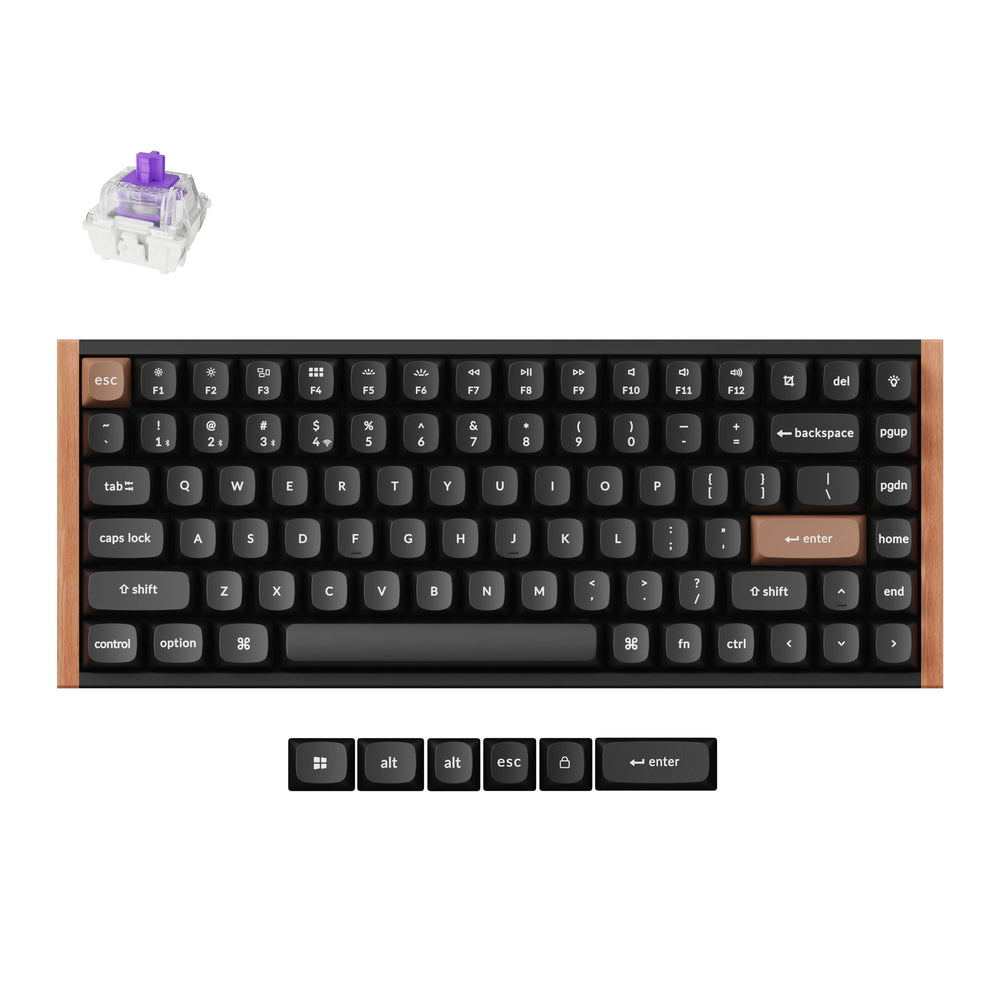
and
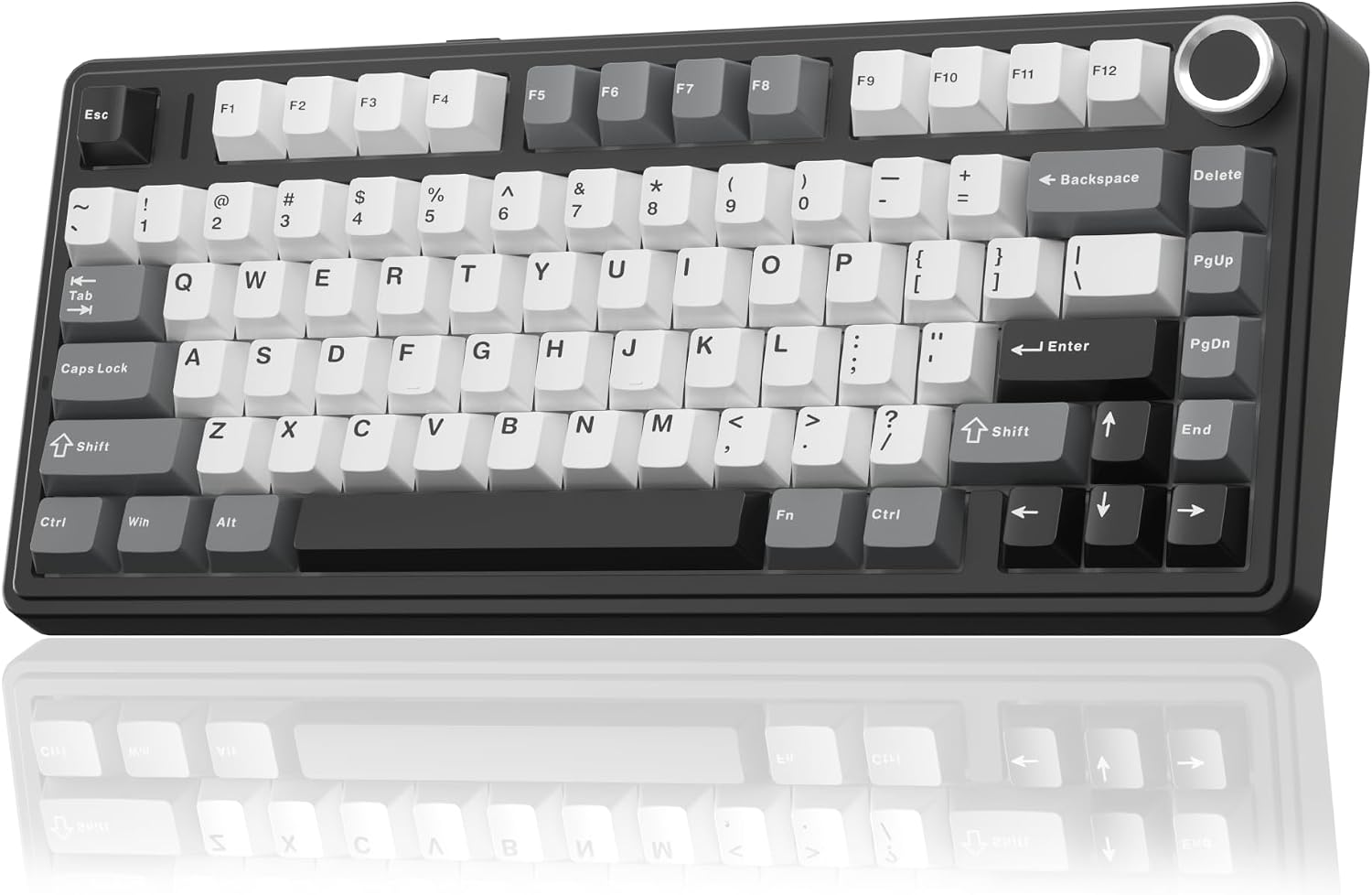
— tri-mode connectivity with smooth Gateron magnetic switches and 4,000mAh batteries.
TMR (newest sensor tech):
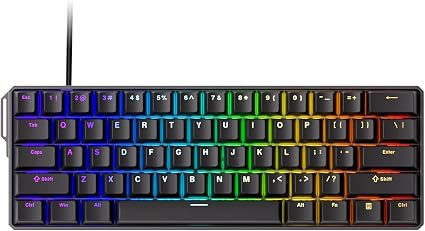
— 8,000Hz, 0.01mm steps, wireless, in a CNC aluminum case at $89.99.
Optical:

— analog optical with 8K polling, for Razer ecosystem loyalists.
The competitive endgame:
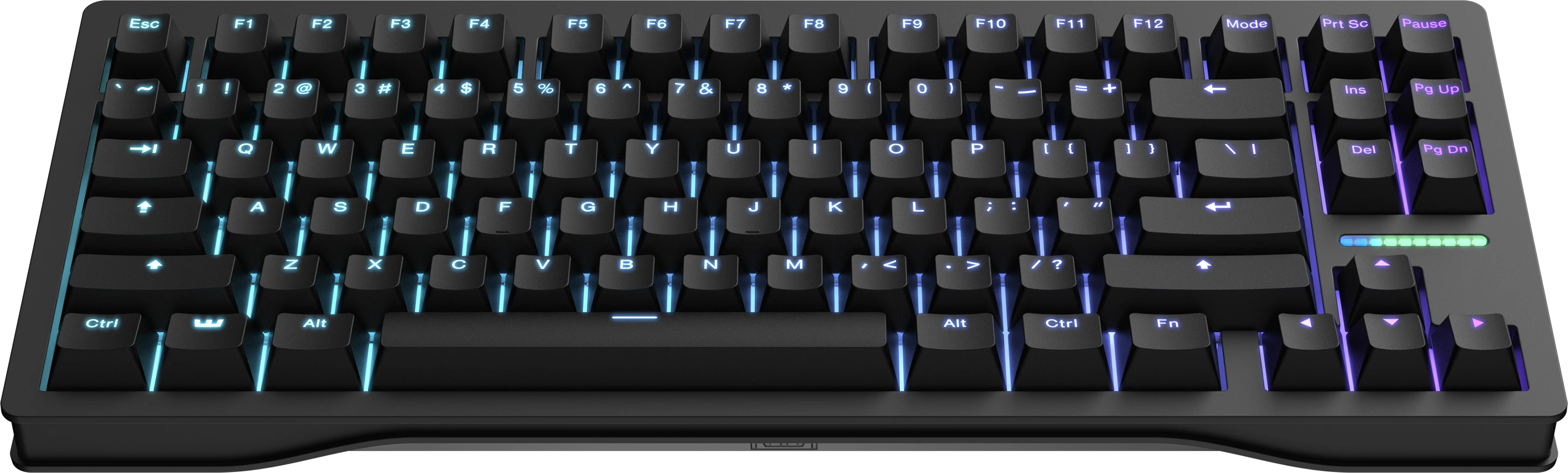
— true 8K polling (0.125ms), the most mature software in the category, and the board most-used by pro CS2 players.
For the full tier-by-tier map of complete keyboards, see our Best Mechanical Keyboards 2026 guide and the Budget Mechanical Keyboards Under $100 guide.
Final Verdict
The 2026 switch decision, distilled:
- Competitive FPS player? Buy magnetic. Hall Effect or TMR with Rapid Trigger is the clear upgrade for movement-heavy shooters, from the $42 EPOMAKER HE68 Lite up to the Wooting 80HE. Accept the linear-only feel.
- Mixed gaming + typing, or casual gamer? A quality linear mechanical (Gateron Yellow-class or a speed linear) is the value sweet spot. You lose Rapid Trigger but keep the mechanical feel and pay half as much.
- Heavy typist? Go tactile — Cherry MX Brown, Gateron Brown, or a heavier enthusiast tactile — and skip magnetic entirely unless you also play competitive FPS.
- Noise-sensitive or shared space? Skip clicky, consider silent linears (Kailh Box Silent Pink) or a quiet magnetic board.
The market's two-track reality is a feature, not a bug: magnetic switches won the competitive-FPS argument by 2026, while traditional mechanical switches remain the better choice for typing feel, tactile feedback, and budget flexibility. The mistake is buying the one that matches the hype instead of the one that matches your games. Know which of the two markets you're in, and the "best switch" question answers itself.
Related Guides
Buying Guide
Best Mechanical Keyboards 2026: The Complete Guide for Every Budget
The 2026 mechanical keyboard market mapped tier by tier: from the $37 Keychron C3 Pro and $42 EPOMAKER HE68 Lite to the Wooting 80HE and NuPhy WH80. RTINGS' top picks synthesized with Reddit community consensus, covering mechanical, Hall Effect, and TMR switches for every budget.
Buying Guide
Best Hall Effect Keyboards 2026: The Definitive All-Tier Roundup
Hall effect keyboards went from a $200 Wooting exclusive to a market that spans $42 to $400. This is the definitive all-tier roundup: the best budget, mid-range, and flagship magnetic boards of 2026, ranked by specs, lab data, pro adoption, and community feedback.
Buying Guide
Best Budget Hall Effect Keyboards Under $100 in 2026
Rapid trigger used to mean one thing: a $200 Wooting. In 2026 the sub-$100 tier delivers genuine hall effect gaming — 8K polling, rapid trigger, SOCD — for as little as $42. We rank the five budget magnetic boards worth buying.