Best Gaming Controllers for Mac 2026: Verified macOS Tahoe Picks
macOS Tahoe finally takes Mac gaming seriously - these six verified controllers pair, perform, and never fight the OS, from the $22.99 Hall Effect GameSir Nova Lite to the do-everything 8BitDo Pro 3.
By GamePadSquire Test Desk · Updated Nov 18, 2026
VerifiedMac gaming spent two decades as a compatibility afterthought, and controllers were a core part of that reputation. Pads that paired but remapped wrong, triggers that registered as buttons, Bluetooth dropouts mid-fight - the macOS controller stack earned its skepticism. macOS Tahoe (version 26) is the most serious attempt Apple has yet made to change the story: a dedicated Games app that gathers Apple Arcade, App Store, and AAA titles in one place, a Game Overlay for chat and quick settings without leaving fullscreen, and the Game Mode plumbing that gives the running game priority and tightens Bluetooth response for wireless controllers.
The controller market has moved just as fast. Hall Effect and TMR sticks have made drift a solved problem at every price point, and third-party pads now enumerate on a Mac as cleanly as first-party hardware. The practical question on a Mac in 2026 is no longer "will this controller work?" It is "which one is actually worth the money?"
This guide answers that with six picks, every one covered in a full review on this site - specs, latency figures, and owner sentiment already verified. The short version: the 8BitDo Pro 3 is the best all-round controller for Mac, the GameSir Nova Lite is the budget knockout at $22.99, and the GameSir G7 Pro is the zero-compromise wired pick.
The short list
| Pick | Controller | Connection | macOS Tahoe support | Best for | Price |
|---|---|---|---|---|---|
| Best overall | 8BitDo Pro 3 | 2.4G / Bluetooth / USB-C | Pairs over Bluetooth; deep remap needs a PC once | All-round Mac gaming | $69.99 |
| Best wired | GameSir G7 Pro | USB-C (also 2.4G / Bluetooth) | Plug-and-play, no pairing | Lowest latency, competitive play | $79.99 |
| Best first-party | PlayStation DualSense | Bluetooth / USB-C | Native pairing | Haptics fans, PS5 Remote Play | $66.99 |
| Best value first-party | Xbox Wireless Controller | Bluetooth / USB-C | Native pairing | Familiar layout, cheap batteries | $51.57 |
| Best budget wireless | GameSir Nova Lite | Bluetooth / 2.4G / USB-C | Pairs over Bluetooth | Hall Effect sticks under $25 | $22.99 |
| Best travel pad | 8BitDo Micro | Bluetooth | Pairs as a standard input device | Couch, travel, second player | $24.98 |
Best overall: 8BitDo Pro 3

The Pro 3 is the rare third-party controller that wins on hardware rather than price. TMR sticks with a 12-bit ADC, Hall Effect triggers with a mode switch for shorter pulls, tri-mode connectivity (2.4GHz dongle, Bluetooth, USB-C), four remappable buttons, and an integrated charging dock in the box at $69.99. At 242.4g with a 1000mAh battery it sits in the same weight class as first-party pads, and it scored 8/10 in our full 8BitDo Pro 3 review.
On a Mac it is straightforward: pair over Bluetooth and play. 8BitDo has shipped Apple-compatibility firmware across its Bluetooth lineup since 2023, and the Pro 3 belongs to that generation - no driver layer, no mapping weirdness in native Mac games. The one honest caveat is software. 8BitDo Ultimate Software, where stick tuning and button remapping live, is not a real macOS citizen; the practical workflow is to configure profiles once from a Windows machine or the mobile app. Profiles persist on the controller itself, so a Mac-only household just lives with the (excellent) defaults.
For most Mac players this is the pick: modern stick tech, first-party build feel, every connection option, and nothing about macOS it fights.
Best wired: GameSir G7 Pro


The G7 Pro is the highest-scored controller of this entire six (9/10 in our GameSir G7 Pro review), and on a Mac its simplest mode is the best one. Wired over USB-C it enumerates as a generic HID gamepad - plug in, nothing to pair, no Bluetooth variables at all. The hardware is flagship-grade: TMR sticks, Hall Effect triggers with microswitch stops, optical-mechanical ABXY buttons, and four back paddles plus two mini bumpers.
Two Mac-specific notes. First, the 1000Hz polling headline is measured on PC; macOS does not expose a comparable number, but wired removes every wireless variable, which is the part that matters. Second, GameSir Connect configuration software is Windows-only - same deal as 8BitDo, and the hardware defaults are good enough that it rarely stings. If you want the last word in responsiveness for competitive play on a Mac, wired G7 Pro is it. The Aimlabs Edition G7 Pro 8K adds an 8000Hz-capable sensor suite for $10 more, also wired-first.
Best first-party: PlayStation DualSense

The DualSense pairs natively with every modern Mac - it is one of the controllers Apple's stack supports out of the box, no firmware dance required. Bluetooth 5.1, USB-C wired as a fallback, and at 280g the most substantial pad in this guide. Our DualSense review logs roughly 6ms Bluetooth latency, the best wireless figure among these six, with a 250Hz default polling rate.
The catch on Mac is software, not hardware. Adaptive triggers and the fine-grained haptics that define the pad need games that speak to them directly, and on macOS that list is short. The exception that uses everything the pad has is PS5 Remote Play, which has an official macOS client - for a PlayStation household this is the obvious pick twice over. Everyone else gets a rock-solid, native-paired controller whose party tricks mostly stay parked.
Best value first-party: Xbox Wireless Controller

The default answer for a reason: native Bluetooth pairing, a layout every game designer assumes, 40-hour battery life on two AAs, and a street price of $51.57. Our Xbox Wireless Controller review rates it 8.5/10, with measured Bluetooth button latency around 12.2ms - entirely fine for everything short of high-level competitive play, and USB-C wired cuts that to 6.5ms when it matters.
Two macOS-specific caveats. The proprietary Xbox wireless dongle has no macOS driver - Bluetooth or a cable are your only paths, which in practice is fine. And the sticks are traditional ALPS potentiometers, the same drift-prone design Microsoft has used for a decade; at this price the Hall Effect third-party picks below simply out-engineer it.
Best budget wireless: GameSir Nova Lite


The most irrational value in controllers: $22.99 for Hall Effect sticks with a deadzone adjustable down to zero, Hall Effect triggers, tri-mode connectivity (Bluetooth, included 2.4GHz dongle, USB-C), and 10-15 hours of battery. On a Mac it pairs over Bluetooth like any HID pad. Our GameSir Nova Lite review scores it 8.5/10 - the same rating as the Xbox pad at less than half the price.
The compromises are honest ones at this tier: membrane face buttons rather than microswitches, and a d-pad that can register accidental diagonals. For couch play, Apple Arcade, emulators, and a first controller for a Mac that mostly is not a gaming machine, it is the obvious buy.
Best travel pad: 8BitDo Micro

At 24.8g - lighter than a AA battery - the Micro is a keychain-sized 16-button Bluetooth pad that pairs as a standard input device. Think of it as a companion rather than a primary controller: menu navigation on a Mac mini media center, emulator duty, travel, and second-player backup. Our 8BitDo Micro review scores it 7.5/10, purely on the physics of tiny controls.
It belongs on this list because macOS treats it exactly as it should - a Bluetooth input device that just works, with a keyboard mode available through 8BitDo's software for non-game apps. Buy it as a supplement, not a main pad.
macOS Tahoe controller support, explained
Three things changed in Tahoe that matter for controllers, and one thing that has been true for a while:
- A real Games app. macOS 26 replaces the scattered game experience with a dedicated app that centralizes Apple Arcade, App Store games, and AAA titles (Macworld's Tahoe coverage walks through it). Discoverability for controller-supported Mac games stopped being a joke.
- Game Overlay. A system-level overlay for chat, invites, and settings changes without exiting fullscreen - previously the kind of thing that required third-party hacks.
- Game Mode, carried forward and matured. Introduced in Sonoma, Game Mode gives the foreground game CPU/GPU priority and doubles the Bluetooth sampling rate, which is precisely the lever wireless controller latency responds to. It activates automatically; there is nothing to configure.
The thing that was already true: Apple's controller stack natively supports PlayStation and Xbox Bluetooth controllers alongside MFi hardware, and 8BitDo rolled Apple-compatibility firmware across its Bluetooth lineup in 2023 (AppleInsider documented the rollout). The practical decision tree on a Mac is short - Bluetooth HID pads and wired USB pads work; anything that depends on a Windows driver layer (the Xbox dongle, some 2.4GHz receivers) does not.
Pairing is System Settings > Bluetooth, then forget about it. If a game misbehaves, test the pad in the Games app or another title first - the pad is almost never the problem; the game's mapping is.
Steam on Mac and Steam Input
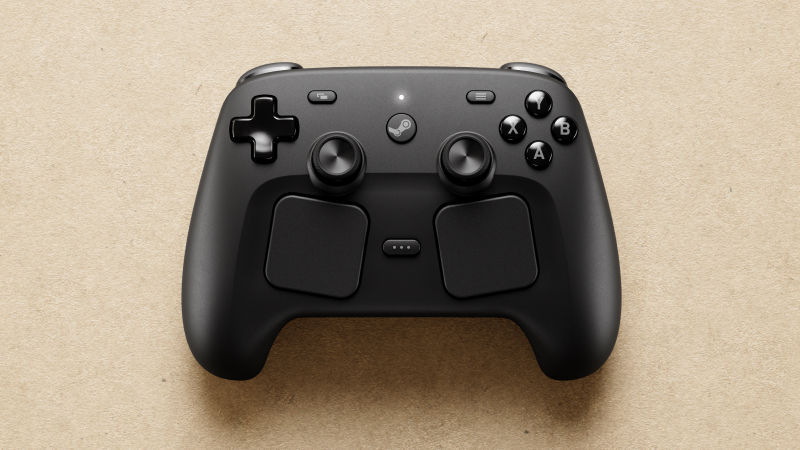
The Steam client runs natively on macOS, and Steam Input (Valve's per-game remapping layer) works with most HID controllers, including every pad in this guide. The nuance is per-game behavior: community threads document titles where a DualShock 4 or DualSense maps incorrectly until Steam Input is toggled off for that specific game - and others where toggling it on is the fix. The controller override menu in the game's Steam properties is always the first place to look when buttons act wrong.
For native Mac games, App Store titles, and Apple Arcade, none of this applies - the OS-level mapping is the only layer, and it is the one Apple has gotten right. The two-layer reality is worth knowing: Steam games negotiate with Steam Input, everything else negotiates with macOS directly.
Mac controller FAQ
Does a PS5 controller work on Mac? Yes. The DualSense pairs natively over Bluetooth with every modern Mac - it is one of the controllers Apple supports out of the box - and works wired over USB-C. Adaptive triggers and detailed haptics only activate in software built for them; PS5 Remote Play on Mac uses the full feature set.
Does an Xbox controller work with a Mac? Yes, over Bluetooth or USB-C. Models from the Xbox One S era onward include Bluetooth. The proprietary Xbox wireless dongle has no macOS driver, so do not buy one for a Mac.
Do 8BitDo controllers work on Mac? Yes. 8BitDo's Bluetooth lineup gained Apple-platform compatibility through firmware updates the company rolled out in 2023, covering Mac, iPhone, iPad, and Apple TV. Older pads may need one firmware update via 8BitDo's updater; current models like the Pro 3 ship compatible.
Does Game Mode turn on automatically in macOS Tahoe? Yes. When a game takes the foreground, macOS shifts CPU and GPU priority to it and increases the Bluetooth sampling rate, which lowers wireless controller and headphone latency. There is no switch to flip.
Does Steam Input work on Mac? Yes, for most controllers, with per-game quirks. Some titles map pads incorrectly until Steam Input is toggled off (or on) for that game in its Steam properties. The toggle is per-game, so fixing one title never breaks another.
Do Apple Arcade games support controllers on Mac? Yes - controller support is effectively a catalog-wide standard for Apple Arcade, and the Games app in macOS Tahoe surfaces controller-supported titles directly. Any pad in this guide works with them.
Wired or Bluetooth: which has less lag on Mac? Wired, always - it removes every wireless variable. But the gap is smaller than forum lore suggests: latency figures collected across our reviews run from roughly 6ms (DualSense) to 12ms (Xbox pad) over Bluetooth, both fine for anything short of competitive play. If you compete, use a cable.
The verdict
For most Mac players the 8BitDo Pro 3 is the answer - modern TMR sticks, tri-mode connectivity, a charging dock, and nothing about macOS it argues with, at $69.99. The GameSir Nova Lite at $22.99 is the value pick with no real weaknesses for casual play, and the wired GameSir G7 Pro is the choice when responsiveness is non-negotiable. PlayStation households should just use the DualSense they already own; it pairs natively and Remote Play on Mac exploits everything it can do.
The one universal rule: on a Mac, buy pads that speak standard Bluetooth HID or plain USB, and skip anything whose headline feature requires a Windows driver.
Prices checked November 2026. This guide is updated as new controllers pass through full review on this site.
Related reading
- The broader field: Best PC Controllers 2026 covers twelve pads across every budget, including the picks that did not make the Mac-specific cut.
- PlayStation-first: the best PS5 controllers roundup ranks the pads that pair with a PS5 - and almost all of them double as Mac Bluetooth pads.
- The stick technology behind every pick here is compared in TMR vs Hall Effect controllers.
- Browse every pad we have reviewed in the controllers hub or the full review index.
Related Guides
Buying Guide
Best PC Controllers 2026: The Definitive Roundup
From the $19.99 budget king to the sub-millisecond esports monster — every PC controller worth buying in 2026, ranked by use case with verified specs and community sentiment.
Buying Guide
Best Gaming Controllers 2026: Every Budget, Every Platform — The Ultimate Buying Guide
The best gaming controllers 2026 has to offer at tracked prices — a $22.99 tracked Hall Effect pick, a $63.99 tracked TMR standout, the $199.00 tracked DualSense Edge — for PC, PS5, Xbox, Switch 2, and Steam Deck.
Buying Guide
Controllers With Built-In Screens 2026: Every Display Gamepad Worth Buying
Every controller with a built-in screen worth buying in 2026: the touchscreen Turtle Beach Stealth Ultra II ($199.99, TMR sticks, 8KHz polling), the Flydigi Apex 5 tuning cockpit (4.5/5 stars from GamesRadar), the app-free Manba One at ~$53 tracked, and the original Stealth Ultra as the clearance play - specs, battery costs, and which screen pad fits your platform.