Ultimate Animal Crossing: New Horizons Switch 2 Island Design Guide
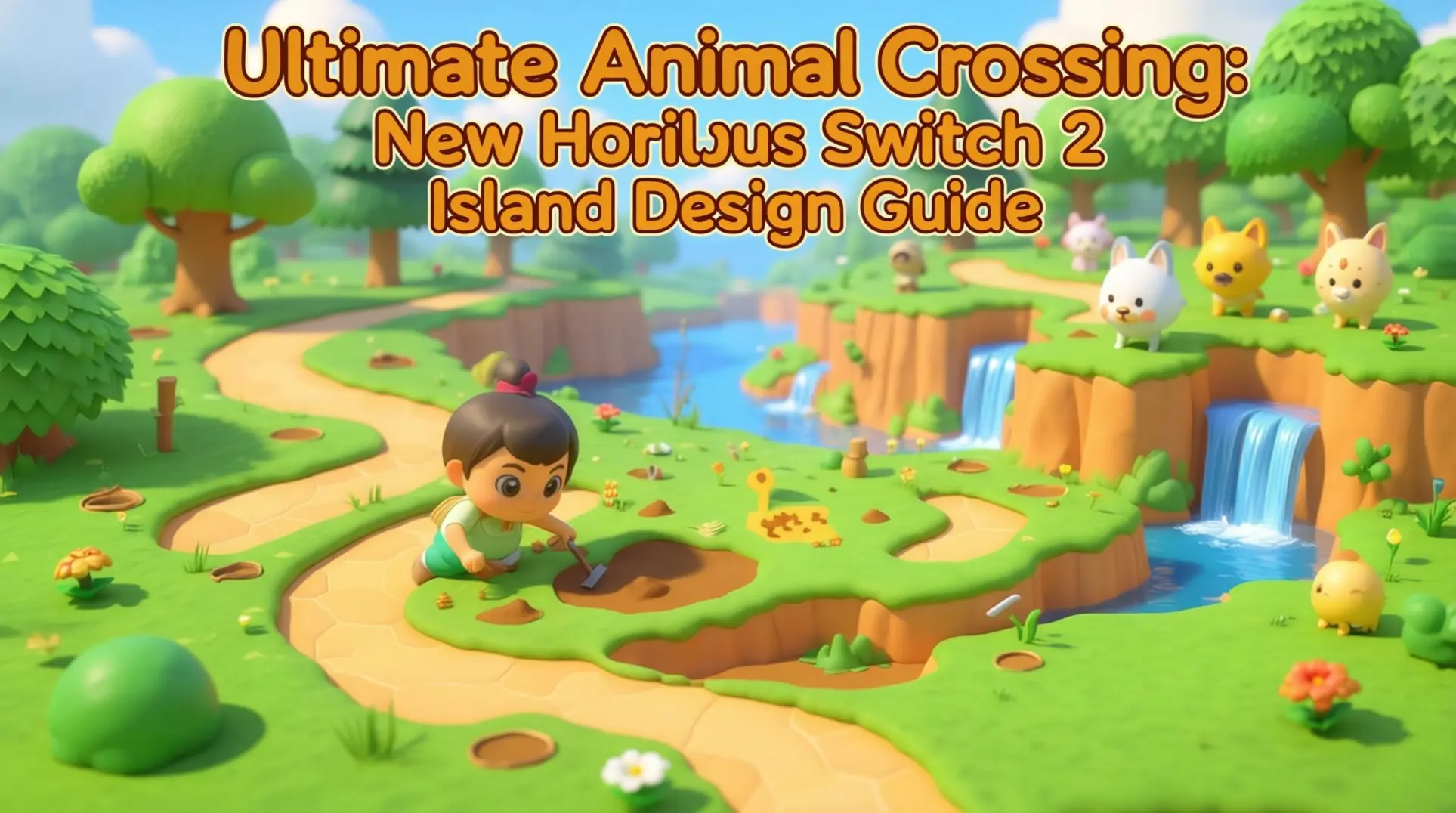
Designing your perfect island in Animal Crossing: New Horizons is a massive creative project, but getting started can feel overwhelming. With fixed building sizes, unchangeable landmarks, and a strict villager limit, planning is everything. This guide breaks down the essential layout fundamentals, advanced design strategies, and Switch 2-exclusive tools you need to build your dream island efficiently.
Understanding Island Layout Fundamentals
Building Plot Sizes & Spacing Requirements
Before you start dreaming up that perfect neighborhood, you need to know exactly how much space you're working with. Every building in New Horizons has a fixed footprint, and getting these numbers wrong means either a cramped island or wasted real estate.
Here is the breakdown:
| Building Type | Dimensions | Relocation Cost |
|---|---|---|
| Player Home | 5×4 | 8,000-9,000 Bells |
| Villager Home | 4×4 | 10,000 Bells |
| Nook's Cranny | 7×4 | 10,000 Bells |
| Museum | 7×5 | 10,000 Bells |
| Able Sisters | 3×3 | 50,000 Bells |
| Campsite | 4×3 | 10,000 Bells |
Now here is where it gets tricky. Every building needs at least one space of clearance on all sides, which means you cannot slam two villager houses right next to each other. Plus, each structure has an invisible buffer zone in front of it where you cannot dig holes or place items, so you will want to factor that into your pathways and landscaping.
The 10 Villager Limit: Strategic Planning
You can only have 10 villagers on your island, full stop. That is not a suggestion; it is a hard cap coded into the game, so every villager you invite is a permanent slot until you kick someone out.
With 417 total villagers to choose from, you are going to need a strategy. Do not just grab the first cute face you see on a Mystery Island tour. Think about house exteriors - each villager has a unique color scheme and architectural style that can either complement your island's theme or stick out like a sore thumb. Personalities matter too, since they dictate interior decor. If you are going for a cohesive aesthetic, that peppy villager's candy-pink interior might clash with your gothic cottagecore vision.
Unchangeable Elements: Resident Services & Airport
Some things you just have to live with. Resident Services and its plaza are locked in place forever once you drop that tent, and the Airport location (plus its color) is set in stone the moment you pick your island at the start. You also cannot move river mouths or reshape your beaches.
The good news is you can preview all of this during the initial island selection screen, so take those extra few seconds to really look at the layout. If Resident Services is too close to the airport for your grand entrance plaza idea, back out and roll a new map. You will thank yourself later when you are not trying to force your vision around an immovable building.
Switch 2 Edition Exclusive Features for Island Design
If you're playing on the Switch 2 Edition, you've got access to some serious quality-of-life upgrades that completely change how you build and design. These aren't just small tweaks - they're full-on game changers that give you more freedom, precision, and new neighbors to show off to.
Slumber Islands: Secondary Island Creation
You're probably wondering how you can experiment with wild designs without trashing your main island. That's where Slumber Islands come in - they're completely separate sandbox spaces that don't touch your primary island at all, which means you can go absolutely nuts with design ideas without worrying about messing up your carefully curated aesthetic.
You can create up to three of these islands, and you get to pick from small, medium, or large sizes with different pre-set layouts. Unfortunately, there's a catch - you need an active Nintendo Switch Online subscription and an internet connection, even if you're just building solo. Yeah, it's kind of a bummer that you can't use them offline.
The upside? If you're on the Switch 2 Edition, you can invite up to 12 players for collaborative building sessions. So you and your friends can finally work on that dream theme park together without stepping on each other's toes on your main island.
Enhanced Building Tools: Mouse Control & Megaphone
Once you're in build mode, you'll notice two huge improvements that make decorating way less frustrating.
First up is mouse control support, which makes placing items way faster and way more precise. No more inching your cursor around with a joystick like you're defusing a bomb - you can just point and click exactly where you want things.
Then there's the Megaphone, and this one's actually pretty fun. It's a tool that uses your console's built-in microphone to call villagers by name. How it works is simple: hold the Megaphone, hold down the 'A' button, and say the villager's name out loud. If it catches it, you'll see a speech bubble pop up showing which direction they're in. It's perfect for tracking down that one neighbor who's hiding from you.
You can grab the Megaphone from Nook's Cranny for 3,500 Bells, and luckily it doesn't break with use. Just remember - this is a Switch 2 exclusive, so don't go looking for it on older versions.
New Villagers: Cece, Viché, Tulin & Mineru
The Switch 2 Edition also drops four exclusive villagers, and they're all tied to amiibo collaborations.
Cece is a peppy squirrel villager based on Shiver from Splatoon 3, and you can get her by scanning specific amiibo cards like Shiver or Frye. She's got that high-energy vibe and a house that'll match the Splatoon aesthetic perfectly.
Then there's Viché, a normal squirrel who shares the Splatoon theme - she's dressed as Marie from Splatoon 3. You'll likely unlock her by using other Splatoon amiibo cards, and she's the calm counterbalance to Cece's chaos.
If Zelda's more your thing, you'll want Tulin, a jock bird villager based on the character from The Legend of Zelda: Breath of the Wild. Scan the Tulin amiibo card and he'll move right in, bringing that Rito energy to your island.
Finally, there's Mineru, a snooty deer also from the Zelda universe. You can summon her by scanning cards like Urbosa or Sidon, and she'll add a bit of Gerudo Valley sophistication to your neighborhood.
Advanced Villager Housing Strategies
Villager House Exterior Selection System
Here's the thing you need to know right off the bat: you can change your villagers' house exteriors, but only if you have the Happy Home Paradise DLC and have completed 30 vacation homes. Each character shows up with a pre-designed home that matches their personality, and while you can eventually alter it, planning ahead is still smart. So if you're dreaming of a perfectly cohesive neighborhood, you can't just slap a fresh coat of paint on someone's house immediately - you have to pick the right villagers from the start or put in the work to unlock the renovations.
That's why tools like VillagerHomes.org are absolute lifesavers. This site lets you filter every single villager by their house properties, including architecture style, color palette, and building materials. You can search by personality type too, which is clutch because each personality group tends to cluster around certain aesthetic vibes. The fact that exteriors are fixed initially actually works in your favor here - it forces you to be intentional and makes each neighborhood feel authentic to the characters living there.
| Architecture Type | Personality Match | What It Looks Like |
|---|---|---|
| Modern | Smug, Snooty | Clean lines, sleek materials, contemporary colors |
| Minimalist | Normal, Lazy | Simple shapes, neutral tones, uncluttered design |
| Rustic | Lazy, Cranky | Wood finishes, earthy colors, cabin-like feel |
| Traditional | Normal, Peppy | Classic designs, warm colors, familiar patterns |
Themed Neighborhood Design Concepts
Once you've got your filtered list, it's time to start dreaming up themed neighborhoods. These six concepts should give you plenty to work with:
Modern Suburban - This is all about clean lines, minimalist design, and subtle tech elements. Fauna and Tia are perfect here with their sleek modern exteriors. Surround their homes with simple fencing, concrete paths, and geometric garden layouts. You're going for an orderly but not sterile vibe, like a futuristic suburb where everything just clicks.
Rustic Forest - Natural materials and earthy tones create that cozy cabin atmosphere you're after. Ray and Skye fit this theme beautifully with their woodsy homes. Add dirt paths, wildflowers, log furniture, and cedar trees everywhere. The goal is a hidden woodland community that feels like it grew on its own.
Beachfront - Light, breezy materials with tropical energy work best for coastal living. Kiki and Sprocket have those laid-back exteriors that scream seaside retreat. Use sand paths, shell furniture, palm trees, and beach towels to complete the look. Pro tip: place their houses directly on the beach or cliff edges overlooking the ocean for maximum effect.
Japanese Zen - Harmony and simplicity rule this theme, with traditional architecture taking center stage. Fauna and Coco slot in perfectly - Coco's desert-inspired exterior reads as minimalist Japanese with the right landscaping. Add bamboo, zen gardens, stone lanterns, and simple wooden fencing. Less is absolutely more here.
European Village - Picture quaint cottages with cobblestone streets and overflowing flower boxes. Katt and Marina might seem like an odd couple, but their cheerful, colorful homes actually nail that storybook aesthetic. Use brick paths, iron garden furniture, and rose hybrids to capture that old-world charm.
Fairy Tale - Go full whimsical with castles, treehouses, and mushroom furniture. Lolly and Merengue are your MVPs - their cute, fantasy-leaning exteriors were basically made for this theme. Sprinkle in heart crystals, flower arches, and glowing moss to make the whole area feel enchanted.
House Placement Optimization: Spacing & Flow
You've got your theme and your villagers - now where do you actually put the houses? The layout you choose completely changes how your island feels.
Grid layouts give you that orderly, planned-community aesthetic. Houses sit in straight rows with equal spacing, which makes navigation super easy and looks clean from a distance. You'll want each plot to be about 4x4 squares with a two-square path between them. This pattern works great for Modern Suburban or European Village themes where structure matters more than anything.
Staggered layouts are the opposite - organic, uneven, and natural. You place houses at different heights, angles, and distances to create visual interest. This approach shines in Rustic Forest or Japanese Zen neighborhoods where you want everything to feel unplanned. Mix in trees, rocks, and curved paths to hide the fact that you actually spent three hours placing everything perfectly.
Clustered layouts split the difference. You group 3-4 houses together with shared green space, then leave gaps before the next cluster. This creates little communities within your larger island and makes each area feel like its own mini-neighborhood. Plus, it gives you room for communal areas like parks or plazas between clusters.
No matter which pattern you pick, path integration is critical. Your paths need to be at least two squares wide so villagers don't bottleneck behind each other, and they should connect every house to main island areas like the plaza, shops, and your own home. Use terraforming tools to level terrain precisely - nothing kills the vibe like a crooked path because the ground underneath was half a square off.
Happy Home Paradise Integration
Here's where everything pays off. The Happy Home Paradise DLC isn't just for designing vacation homes - it unlocks the ability to remodel your villagers' houses on your main island. But there's a catch: you have to grind through 30 vacation home designs first.
Once you've hit that milestone and unlocked the Paradise Planning agency's full potential, you gain two game-changing abilities. First, you can redesign the interior of any villager's home on your main island. Second - and this is the big one - you can finally change their exteriors to match your neighborhood vision.
The process works like this: after your 30th vacation home, Niko calls to say you've earned the 'main island remodeling permit.' Head back to your island, talk to any villager, and you'll see a new 'Let's talk about your home...' dialogue option. From there, you can redesign their interior and exterior just like you would in the DLC, using items you've catalogued plus new Paradise Planning exclusive pieces.
You'll be designing in the agency, fulfilling client requests for vacation homes, and earning Poki (the special DLC currency). This currency buys exclusive furniture and facilities that you can then use back on your main island. So while you're grinding those 30 homes, you're also building an incredible catalogue of items for your final neighborhood overhaul.
The best part? Once you can remodel, you can finally achieve perfect interior-exterior cohesion. That Rustic Forest theme? You can now add log furniture inside to match the cabin exterior. Your Japanese Zen area? Fill the inside with tatami mats and low tables. It's the ultimate payoff for all that planning.
Mastering Path Design & Infrastructure
Let's talk paths, because honestly, they make or break your island's vibe. The difference between a scattered collection of houses and a cohesive paradise often comes down to how you lay your sidewalks and trails.
Path System Fundamentals: Types & Applications
Before you can lay down a single path, you've got to get your hands on the Island Designer app, and Tom Nook doesn't hand that over until you've put in serious work. Once it's on your NookPhone, you're in business - but the app starts you off with basics, which means you'll be grinding Nook Miles at the Nook Stop to grab the other permits.
Here's what you're actually getting:
Dirt paths give you that 'I didn't try too hard' natural look, so they're perfect for forest trails or connecting those hidden flower gardens you've tucked away. Grass paths are even softer and blend right into your existing greenery, making them ideal for leisurely strolls between residential areas. Stone paths feel structured and elegant, so save these for your museum plaza or that fancy formal garden with the fountain. Brick paths are the versatile workhorse - they fit just about anywhere, from main streets to cottage-core villages without looking out of place.
If none of the default options vibe with your vision, the Custom Design Editor lets you import community codes through Able Sisters' portal, which opens up thousands of designs that can transform your island into anything from a Japanese zen garden to a neon-lit cyberpunk district.
Advanced Path Design Techniques
Alright, you've got the permits. Now let's make your paths not look like a grid plotted by a tired algorithm. The secret to curved paths is placing short segments at slight angles - it's tedious, but the result actually flows like a real trail instead of a Minecraft path. For perfect circles around ponds or plazas, hunt down custom codes specifically made for curves; they'll save you hours of tweaking.
Borders are where you can flex your design skills. You can either use the built-in Island Designer borders, or steal - err, borrow - custom codes from community sources like r/ACNHCustomDesigns. Whatever you pick, match your border material to your path material, so brick borders on brick paths, which keeps everything cohesive. If you're feeling fancy, layer a primary border with a secondary one; this adds depth and makes your paths pop in a way that basic layouts just don't.
Elevation changes will test your patience. You'll need stairs or ramps for cliffs, but you can also create gradual slopes through terraforming for smoother transitions. Some clever designers have made custom codes specifically for stairs and slopes at different heights, which saves you a ton of headache when your path needs to climb a hill.
Bridges & Inclines: Strategic Placement
Bridges and inclines are where the game's rules get weirdly specific, so you can't just plop them anywhere and hope they work. Bridges span rivers that are 3, 4, or 5 spaces wide, and you need at least 4 spaces of land on both riverbanks to support the structure.
Inclines are just as picky: you need a 2×1 cliff structure with 2×3 land space for the base, or the game will reject it outright. After Tom Nook gives you your first Bridge Construction Kit, you can build up to 10 bridges and 10 inclines total, which sounds generous until you start planning your layout.
Here's the real talk: position these where they actually help you get around. A bridge that saves you from running around half your island is worth way more than one that just looks cute by your museum. That said, they need to look good too - so find the sweet spot where placement enhances both navigation and your island's overall aesthetic.
Top Custom Path Codes for Switch 2 Edition
Switch 2's resolution bump means path codes finally look like they're supposed to - no more blurry messes that looked good in the preview but turned into pixel soup on your island. Here are some that slap:
MA-1234-5678-9101 is a cobblestone design that actually shows individual stones now, not just a beige smear. MA-5678-1234-5678 gives you cherry blossoms and pastel colors for that whimsical spring makeover that doesn't look washed out. MA-9876-5432-1098 includes snowflakes and icy patterns perfect for winter months - finally, you can see the detail in the frost. The MA-1122-3344-5566 enchanted forest code transforms paths into glowing mushroom trails with fairy lights that actually glow instead of looking like yellow dots. For you minimalists, MA-7788-9900-1122 offers clean lines and a neutral palette that makes your modern neighborhood look intentionally designed, not accidentally sparse.
You can grab all of these through the Custom Design portal at Able Sisters - just punch in the code and you're set. And if you want the latest drops, r/ACNHCustomDesigns is constantly updating with new codes optimized for Switch 2, so you'll never run out of fresh pavement.
Terraforming & Natural Feature Integration
The Island Designer App is where your island goes from 'nice' to 'wait, you built that?' territory, but the game doesn't exactly hand you a manual for the advanced stuff. Once you've unlocked it, you can reshape your entire world, yet most players barely scratch the surface of what's possible beyond basic cliffs and straight rivers.
Island Designer App: Advanced Techniques
Multi-level waterfalls are the ultimate flex, but they're trickier than they look. First, you'll need a cliff area of at least 2x3 tiles to support the waterfall mechanic. Once you've carved out your base area, build a cliff behind it using the construction tool, then create a second tier above that. Here's the finicky part: you have to connect the upper and lower waterfalls by destroying specific cliff blocks so the water flows correctly between levels. If you don't break the right blocks, you'll just get two separate waterfalls staring at each other like awkward strangers.
But the shape of your river matters just as much as the cliffs. Using the waterscaping shovel, you can dig rivers with smooth, organic curves that flow naturally into your ponds instead of looking like someone dragged a ruler through your island. Think lazy S-shapes and gentle bends, not sharp corners. For the elevation transitions, use the cliff-construction tool to build layers that gradually increase in height - steep cliffs look artificial, while gentle slopes sell the illusion of natural erosion.
Creating Natural-Looking Cliffs & Water Features
Blocky terraforming is the dead giveaway of a beginner builder, and it's so easy to avoid once you know what to look for. Instead of steep, abrupt cliffs and perfect right angles, aim for gradual slopes and irregular shapes. The landscape tool lets you create gentle curves rather than sharp changes, which means your island will look like it formed over centuries instead of in an afternoon.
Blending cliffs with the surrounding terrain is where the magic happens. Try creating small rivers or ponds near the base of your cliffs, then scatter trees and flowers around the area. Layering rocks and trees directly on top of cliff edges gives the impression of natural erosion and overgrowth, which tricks the eye into seeing something organic rather than player-built. Smooth transitions aren't just about aesthetics either - they create better sightlines for photos and make your island feel larger.
Vegetation Planning: Trees, Flowers & Farming
Tree spacing rules will make or break your orchard dreams, so memorize this: every tree needs at least one tile of space between itself and any building, and one tile of space from other trees to grow. While two tiles is recommended for easier harvesting, one tile is the strict minimum. For dedicated orchards, plant them in a grid pattern with two tiles between each tree - this gives you room to walk and shake fruit without feeling cramped.
You can also use trees as natural buffers between housing areas. Plant them around the perimeter of villager homes with that one-tile buffer zone, and suddenly you've got private yards instead of a crowded neighborhood. Flowers love these tree-lined spaces too; they can be planted between trees or in dedicated beds, and placing them close together encourages cross-pollination for breeding rare colors. If you're running a crop farm, keep the same spacing principles in mind but designate rectangular plots with two-tile walkways for easy watering access.
And here's a bonus for the future: the Switch 2 Edition introduces enhanced graphics that make every leaf, petal, and water ripple pop with way more detail. Your natural landscapes won't just look better - they'll feel more immersive, which is perfect for players who've mastered the basics and want their island to feel alive.
Complete Island Layout Blueprints
Picking an island layout in Animal Crossing can feel like you're committing to one vibe forever, but here's the deal: you can rebuild anything if you've got the bells and patience. These blueprints break down the four main design philosophies players swear by, whether you're a min-maxing completionist or just want a chill digital vacation home.
The Efficient Grid: Maximized Space Usage
If you're the type who gets twitchy seeing wasted tiles, the grid layout is your best friend. This approach treats your island like a chessboard where every square earns its keep, especially when you're planning orchards or commercial districts.
For orchards, the math is specific but not complicated. You need two spaces between trees when placing them side-to-side, but only one space front-to-back. That gap feels weird at first, but it's what lets your trees actually grow and bear fruit. Here's a sneaky trick: you can interplant a sapling or fruit in that front-to-back gap, which squeezes out extra profit per acre without choking your mature trees.
Before you start shuffling buildings around (which costs a fortune), pull out your Island Designer app and literally draw the footprint in paths. Count the width and height twice because nothing stings like moving Nook's Cranny only to realize it clips into your cliff edge. All facilities have fixed dimensions, so that path-grid hack saves you from expensive do-overs.
The Natural Paradise: Organic Flow Design
Maybe spreadsheets make you yawn, and you'd rather your island feel like a stumbled-upon secret. Natural layouts ditch straight lines for curved paths that wind through heavy greenery - think trees, flowers, and terrain that hides how intentional it actually is.
Water features are your secret weapon here. A small pond or tiered waterfall isn't just pretty; it's a functional fishing spot that breaks up flat land. Tucking buildings near these features (or on hilltops) makes them feel integrated instead of plopped down. That's how you get the 'hashtag nature goals' aesthetic without sacrificing utility.
Planning this stuff in your head is a recipe for disaster, though. The Happy Island Designer tool (it's free online) lets you sketch rivers and elevation changes before you commit. It's basically a dry-run for your terraforming addiction, and it saves so much time.
The Themed Experience: Complete Aesthetic Packages
Going full theme is like turning your island into a tiny, obsessive diorama, and honestly? It's the most fun you'll have with custom codes. Here's what each vibe demands:
Japanese Zen Garden: You'll need bamboo groves, cherry blossom trees, mossy rocks, tatami mats, shoji screens, and traditional lanterns scattered like you're planning a tea ceremony. Villager-wise, Kiki fits the whole serene cat-lady energy, while Fauna is basically a gardening saint. This theme lives in the details, so start hoarding custom patterns early.
European Village: Picture cobblestone paths winding past brick-and-stone buildings with wooden accents. Plant roses and tulips in organized chaos, and spam vintage street lamps like you're lighting a fairy tale. The trick is mixing materials without making it look like a theme park - keep the color palette muted and cohesive.
Tropical Resort: This is all about sandy beaches bleeding into palm trees and screaming-bright colors. Furniture should be bamboo and rattan with colorful fabrics that look stolen from a beach bar. It's the easiest theme for beginners because the game practically hands you palm trees, but don't skip the custom surfboards and tiki torches.
Modern City: Sleek glass, steel, and concrete dominate here, with neon signs giving that cyberpunk-lite glow. Rooftop gardens with succulents and ferns soften the hard edges. This one burns through Nook Miles on custom patterns, but the skyline view from your plaza is chef's kiss.
Switch 2 Edition: Slumber Island Templates
The 3.0 update's Slumber Islands are basically Nintendo saying, 'Here, mess up a sandbox instead of your main save.' These are separate from your primary island, so you can experiment with zero risk to your three-star rating.
What makes them special is multiplayer building: up to seven friends can join and terraform simultaneously. That turns island design into a party instead of a solo grind. You can also change seasons on command, which means cherry blossoms in December just because.
The update unlocks them through your Nook Stop Terminal, and they come with exclusive villagers like Cece, Viche, Tulin, and Mineru. Think of Slumber Islands as your creative lab - perfect for testing that insane cliff-diving resort concept before you bankrupt your main island moving buildings.
Achieving & Maintaining 5-Star Ratings
You can't just chuck furniture everywhere and expect Isabelle to hand you five stars on a silver platter. The Switch 2 Edition grades you on two tracks - Development points and Scenery points - and both need to be firing on all cylinders. You'll need a minimum of 450 Scenery points to even qualify, which means your flower placements, tree clusters, and decorative items aren't just for the aesthetic; they're mandatory scoring opportunities.
The 3.0 Update actually makes this easier by tossing new items into the mix, but there's a catch: Isabelle's feedback got way more specific. She'll straight-up tell you which category is slacking - whether it's 'too many trees' or 'not enough furniture variety' - so you're not flying blind anymore. Check in with her daily, because maintaining that rating means constantly tweaking under-developed areas she flags.
Future-Proofing: Planning for Updates & Villager Changes
Here's the hard truth about the Switch 2 Edition: Nintendo isn't finished with it. The January 2026 3.0 Update already dropped new villagers and that Megaphone item for calling residents across the map, which means your housing district needs room to breathe.
You'll replace villagers eventually, and the new blood brings way more diverse personality types than the original roster. If you want a balanced island instead of nine lazy villagers and one smug cat, you'll need a flexible layout from the start.
That's where modular design saves your sanity. Build neighborhoods with interchangeable plots instead of hyper-specific themed yards for each house. This way, when you kick out Bill for that new dreamy character, you can shift homes around without demolishing half your infrastructure.
Performance Optimization: Lag Prevention
The Switch 2 is powerful, but it isn't magic. If your island looks like a Pinterest board exploded, you're gonna feel it in the frame rate. The biggest culprit? Custom Designs. When you plaster fifteen different intricate patterns across a single plaza, the game chokes trying to render them all at once.
The fix is simple but painful: limit your design variety. Using the same pattern across multiple panels slashes the system load dramatically, so your fancy path can stay - just make it the same fancy path. High item density suffers from the same issue, especially with custom paths and detailed furniture. You don't have to go minimalist, but strategic spacing between dense areas keeps everything running smooth.
Community Sharing & Dream Address Optimization
Dream Addresses are your island's resume, and with the 3.0 Update bringing back the Dream Suite, anyone can visit while you're offline. But here's the catch - Dream Islands are static snapshots, so you can't be there to guide people around.
Your layout has to do the talking instead. Clear pathways aren't optional; they're the difference between a five-minute tour and a visitor rage-quitting in your orchard. Carve out distinct zones so people know when they've left your zen garden and entered your shopping district.
If you want those sweet, sweet community shares, drop in some interactive elements or puzzles. A simple maze or a hidden item hunt gives visitors a reason to stick around and recommend your address to friends.
Creating a 5-star island is a marathon, not a sprint. By mastering the core layout rules, leveraging new tools like Slumber Islands, and designing with future updates in mind, you can build a paradise that's both beautiful and functional. Now, grab your NookPhone and start terraforming - your perfect island awaits.
More animal-crossing-new-horizons-switch-2-edition Guides
The Complete Switch 2 Time Travel Guide for Animal Crossing: New Horizons
Learn how to safely time travel in Animal Crossing: New Horizons on Switch 2, including benefits, risks, advanced strategies, and performance improvements.
Animal Crossing: New Horizons Switch 2 Bug Hunting Guide - Maximize Bells with Flick & Seasonal Strategies
Complete guide to bug catching in Animal Crossing: New Horizons on Switch 2. Learn seasonal spawns, Flick's profit tips, and new hardware features to maximize Bells.

Animal Crossing Switch 2 Edition: The Ultimate Bell-Making Guide
Master every method to make bells fast in Animal Crossing: New Horizons Switch 2 Edition. From exclusive updates to daily routines, become a bellionaire with our comprehensive guide.
AI Tactical Companion
Consult with our specialized tactical engine for animal-crossing-new-horizons-switch-2-edition to master the meta instantly.