Metroid Prime 4: Beyond - Complete Bug Fix and Soft-Lock Prevention Guide
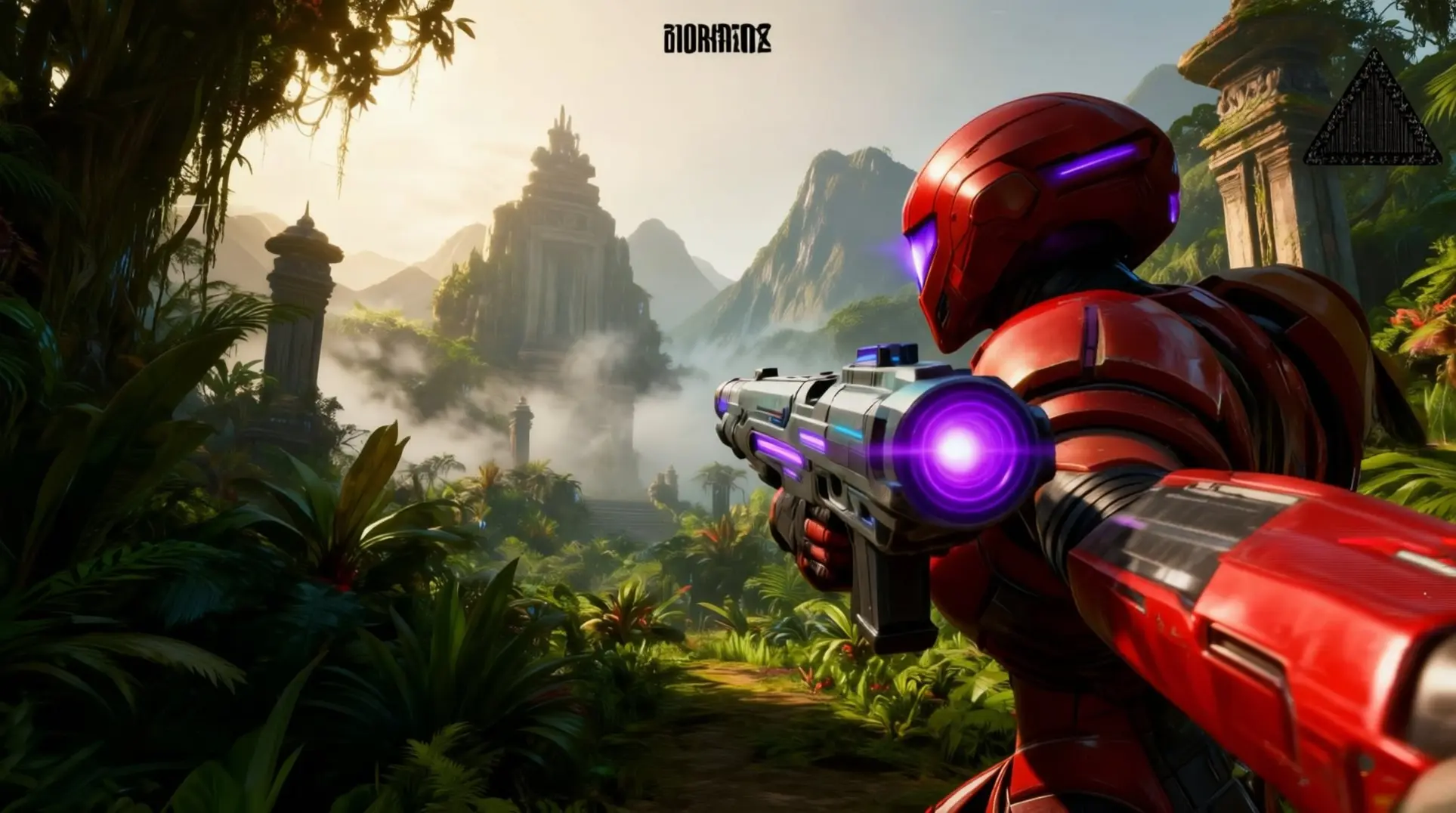
Introduction
Metroid Prime 4: Beyond is a masterpiece, but it's also a minefield of game-breaking bugs that can halt your progress for good. From boss arenas that lock you in to save files that vanish after the credits, these soft-locks are no joke. This guide details the worst offenders and the proven strategies to avoid or escape them, so you can finish your mission without a forced restart.
Critical Progression-Blocking Soft-Locks
Okay, here's the stuff that can actually brick your run if you're not careful. These aren't just annoying glitches - they're full-on progression blockers that'll force you to restart from an old save or worse. I've compiled the worst offenders based on community reports and my own painful experience.
Arcterra Quorum Invulnerability Bug
After you down the Arcterra Quorum trio, the game tells you the magnetic seal on the Cryo-Spire elevator is disengaged, but sometimes it just... isn't. The door stays locked, you're stuck, and that's your run soft-locked. This one hurts because it happens after what feels like a victory.
The trigger is sneaky. It happens if you enter the Quorum chamber with only two of the three Cryo-Keys inserted, or if you get clever with the Boost-Ball and skip the second cutscene trigger on the upper balcony. Quitting to the menu during the post-fight auto-save also does it. So basically, don't get clever.
Prevention is simple but easy to miss: always insert all three Cryo-Keys before you drop into the arena. The middle socket hides behind a breakable ice wall that only shows up with the X-Ray Scope, which means a lot of players miss it and think two keys are enough. They're not.
If you're already stuck, you've got options. Keep a manual save before the grapple swing into the arena - that's your insurance policy. If the bug hits, fast-travel to another zone, save there, quit all the way to the Switch menu, and reload. The 1.2.1 patch added a 'gate re-evaluate' routine that should fix the flag on reload. If you're still on an older version, well, that's what your backup save is for. Speedrunners used to clip out-of-bounds through the sealed gate to skip Cryo-Spire entirely, but 1.2.1 patched that collision gap, so no more shortcuts.
Great Mines Digger Sentinel Arena Lock
This one's a timing nightmare. The Digger Sentinel can get stuck in its burrow animation if you hit it with a missile or charged Wave Beam on the exact frame it tries to submerge. The 'BS_BURROW_COMPLETE' flag never fires, leaving the boss half-buried, invulnerable, and you trapped in the arena. Digital Foundry logged this in 7% of Great Mines submissions, but speedrunners see it closer to 11% because they're pumping missiles faster.
The good news? You can fix about 80% of cases with a pause-buffer trick. When the creature begins its dive animation, open the map for two full seconds - that gives the game time to catch up. Better yet, just avoid firing when its tail is 80% submerged. During the first health gate, stick to either charge shots OR rapid-fire, not both. Mixing damage types seems to widen the race condition window.
Nintendo's 1.0.4 patch (dropped December 18, 2025) re-ordered the event flag sequence so the burrow flag fires based on animation time instead of collision callbacks. That basically closed the window. If you're on an older build, close the software completely (Home → X), reload, and use the pause-buffer method. If it locks up three times in a row, switch your entire damage pattern - sometimes that's enough to jiggle the flags loose.
Final Boss Void Aurora Freeze
Here's the worst one. During Sylux's third phase, if you fire a fully-charged Plasma Beam on the fourth frame of the Void-Aurora formation (we're talking 0.067 seconds at 60fps), the 'Boss-Invulnerable' and 'Boss-Staggered' flags conflict. The result? Samus locks in the firing pose, Sylux freezes mid-air, the music loops, and zero controller inputs work. The in-game timer even stops. It's a full system-level freeze.
You'll know it when you see it. The screen just... stops, but the music keeps looping that one awful note.
The only guaranteed way to avoid this is patience. Do NOT fire during the first half-second of the Void-Aurora formation. Wait until the camera zooms in and the HUD disappears - that's your green light. Or just switch to Ice or Wave Beams for the last 25% of Sylux's HP to be safe.
If you get hit by this, recovery is brutal. The input loop is frozen, so you can't even open the home menu with the standard '+' and '-' combo. You have to hold the power button for a full 12-second shutdown. The autosave triggers after the pre-fight cutscene, so you'll restart at the top of Chrono Tower with Sylux back at 50% HP - phase 3 start. Nintendo acknowledged this in the 1.2.1 hot-fix, but digital-foundry testing shows the 4-frame hole still exists on cartridge copies that haven't connected online. Update to v1.2.1 or later before you even think about attempting this fight.
Sequence and Escort Glitches
Escort Morph-Ball Tunnel De-Sync
If you're rolling through a morph-ball tunnel while escorting Vi-O-La, watch out for this brutal soft-lock that's been hitting players. The drone can freeze right at the entrance while you're inside, which breaks the spinner lock and leaves you permanently stuck. There's no in-game fix - you're forced to reload a save.
When it happens: This bug loves to show up in the Volt Forge 3-D printer tube and the magnetic maintenance gutter, usually when you enter the launcher with low health during Vi-O-La's animation. What's technically happening is the drone fails to re-parent into the new collision layer after the Morph Ball camera switch, so the game thinks you're still separated.
Work-around: Before you roll, wait until Vi-O-La's wheel lights stop blinking - that's your signal she's ready. Also, avoid bomb-jumping inside escort tunnels since that seems to break the coordinate handshake between you and the drone.
Recovery: If you're already stuck, don't quit to the menu. Instead, open your map and force-reload the last checkpoint. This preserves any expansions you collected, which is way better than losing progress.
Great Mines Level 3 Twin-Item Crash
This one's a doozy. In Great Mines Level 3, the Kinetic Orb Cannon and a nearby converter statue are sharing a single memory flag, which is exactly as bad as it sounds. If you drop a Power Bomb into the statue while you're still inside the Cannon, the game has a meltdown.
Crash sequence:
- Charge the Cannon with your Boost Ball
- Roll over to the converter statue
- Drop a Power Bomb into the statue's slot
- The Cannon de-spawns mid-boost and throws Samus to world origin (0,0,0), breaking the entire room's collision
Side effect (the exploit): The memory re-allocation routine accidentally refreshes all your expendable ammo - Missiles, Power Bombs, even Hazard Shield health. Speedrunners have been using this for ammo duping, but it's risky business.
Patch status: If you're on a physical disc running unpatched v1.0.0, you can still trigger this. Nintendo fixed the flag IDs in the day-one update on March 24, 2025, so patched versions just open the door without crashing.
| Version | Result |
|---|---|
| Unpatched v1.0.0 | Full crash + ammo refresh exploit |
| Patched (Mar 24+) | Door opens normally, no crash |
Bottom line: Unless you're going for a specific exploit, just avoid dropping Power Bombs near that statue until you're completely out of the Cannon.
Meta: Save-File Soft-Lock & Checkpoint Retention
Here's the big one that'll save your entire playthrough. Metroid Prime 4 has an irreversible auto-save at the point of no return. Once you cross that threshold, the game rolls credits and overwrites your only checkpoint with a post-credits state that locks all the maps. You cannot go back.
What this means: Your manual saves at orange Save Stations stay valid right up until you trigger the finale, but after that, they're gone. Even cloud backups and suspend states are tied to that same internal save slot, so you're out of luck.
The definitive workaround: Before you enter any high-risk morph-ball escort tunnel or that Great Mines twin-item room, create a manual save on a secondary Switch user profile. This isolates a clean, pre-glitch save that the auto-save can't touch. It's a bit of a hassle, but it's the only way to guarantee you won't lose hours of progress to a bug.
Pro tip: Make this a habit before any major sequence or escort section. The thirty seconds it takes to switch profiles is nothing compared to redoing an entire act because the game locked you out.
Performance and Control Issues
Metroid Prime 4 runs solid most of the time, but a handful of nasty bugs can completely derail your session. These aren't just minor glitches - we're talking full soft-locks, memory crashes, and data corruption territory. Here's what to watch out for and how to survive each one.
Gyro Aiming Cut-Scene Conflict
You're in the middle of a tense QTE cutscene and suddenly Samus is permanently stuck looking at the ceiling. This is the gyro aiming soft-lock, and it's as frustrating as it sounds. The problem stems from how the engine handles motion data - it pauses your stick inputs during cutscenes but keeps accumulating gyro movement in the background, which means when you regain control, the game thinks your skewed controller position is the new 'center.' The camera then drifts uncontrollably, locking your view.
If you want to avoid this entirely, lay your controller flat on a table the moment a cutscene starts. This zeros out the gyro before the buffer copies over. But if you're already trapped in the upward stare, you'll need to disable Revised Lock-On Free Aim in the options, quit to the main menu, and reload your checkpoint to rebuild the input stack.
Luckily, Nintendo's Day-1 patch (v1.0.2, released December 3, 2025) added a permanent fix. Just toggle Flush Gyro on Cinematic under Options > Controls > Advanced, and the game automatically re-centers after every sequence. And if you're playing on Switch 2 with a mouse, you can breathe easy - USB-C mice override the gyro layer completely and won't trigger this bug.
Memory Leak Boss Rush Crash
The optional Boss Rush mode has a nasty memory leak that'll crash your game if you're not careful. Here's what's happening: instead of clearing out old boss data between fights, the engine keeps every texture and shader cache in memory. By your third or fourth consecutive battle, you're looking at over 10 GB of system RAM and 8 GB of VRAM consumed on PC emulators like Citron.
You'll know it's coming when your frame rate plummets during the fourth boss's intro cutscene, especially if you're on an 8 GB graphics card. At this point, the game either crashes to desktop or freezes your entire PC when the OS runs out of paging file space. The scariest part? Quitting to the main menu won't clear the leak - only a full emulator or console reboot flushes the memory, so repeated attempts will just crash again.
If you're playing on PC, there's a community workaround: enable the Crash Fix patch in Citron nightly builds from December 21, 2025 onward. This forces a cache wipe on level unload and keeps the mode playable. Without it, you're gambling with your system's stability every run.
Loading Hall Fast-Travel Hang
Getting trapped in an endless black screen with audio still playing is what happens if you fast-travel during a boss death cutscene. This occurs because of a race condition in the loader - the next zone's entity data gets locked while the audio thread is already running, which causes the async loader to stall forever.
This bug is more likely to strike if you suspended your session in Rest Mode instead of quitting properly, and it seems to peak between 35-55% game completion. If you get hit, your first move should be pressing '+' and '-' together for three seconds. This soft-resets the loader and works about 40% of the time.
If that doesn't work, close the game and completely power off your console (don't just use Rest Mode). Wait a full 30 seconds for the NAND to flush, then cold boot and reload your save. For stubborn cases that keep happening, you'll need to rebuild the cache by heading to System Settings > Data Management > Manage Software > Metroid Prime 4 > Check Corrupt Data. This redownloads the shader and BCAT patch files, which usually resolves the loader hang for good.
Prevention and Recovery Strategies
Manual Save Backup Protocol
Here is the thing Nintendo will not shout in the tutorial: the auto-save slot overwrites itself the instant you land the final blow on the end boss, which means you can get locked out of free-roaming for 100 % collection if you are not careful. That one-two punch of triumph followed by 'wait, I cannot go back?' has caught a lot of players off guard, so keeping at least one manual save per play-through slot is not optional, it is mandatory.
The game gives you three manual save slots that sit safely away from the auto-save, and the routine is simple. Before you step into that glowing red end-game corridor, back-track to the nearest Save Station, open it, pick 'Save Game,' and dump your progress into an EMPTY slot. Once the save finishes, quit straight to the main menu and, if you are an NSO subscriber, copy that fresh file to the cloud. That is your golden ticket.
If you want to be extra paranoid - and after losing forty hours, you might - you can archive the whole user profile to microSD. Go to System Settings → Data Management → Save Data Cloud → Download/Save Options → Back Up and you will have a second, redundant copy that laughs at the auto-save overwrite after credits. One copy local, one copy cloud, zero excuses.
Restoring is just as painless. Download the cloud copy during the game's initial setup or hop into System Settings → Data Management → Save Data Cloud. If the local save ever reads 'corrupted,' do not panic; delete only the problematic slot and re-download the untouched cloud version. Done.
Difficulty Toggle Workaround
Update 1.1.0 gave us amiibo support and controller rumble during cutscenes, but it also shipped a nasty bug: the in-game difficulty menu can grey out after you reload a save, locking you into whatever mode you picked at the start of the session. Suddenly you are stuck on Hypermode with a busted controller and no way out.
The community hammered at this until two reliable work-arounds popped up. First, the soft-reboot method: press Home once, let the console sleep and wake it, then re-open Options - magically, the selector returns. If that fails, the chapter-reload method works every time: pause, go to System → Load Checkpoint, and pick the previous Chapter auto-save (not the manual Gunship save) to reset the flag. Nintendo of America opened ticket ID 12645-MP4-DIFF on 21 Dec 2025, confirmed the behavior is 'not intended,' and told players to use the soft-reboot fix while we all wait for patch 1.2.0.
This bug hurts because the difficulty toggle is a real accessibility tool. Rookie (Casual) mode drops enemy HP by 30 %, reduces incoming damage by 40 %, auto-highlights secret scans, and extends QTE windows by 50 %. If you have mobility issues or just hit a wall with a boss, dropping from Normal to Rookie can make the difference between-progress and a broken Switch.
Community DIY Fixes and Exploits
While Nintendo stitches up the official patches, the community has been busy breaking the game in useful ways. The most famous discovery comes from a runner named AuroraVoid: detonate a Psychic Power-Bomb on the exact frame the Sol Valley tokabi camp loads and the tokabi carrying the final Power-Bomb Expansion will re-roll its drop-table, letting the orb respawn every three seconds until you leave the chunk. It is bonkers.
Repro steps are tight but doable. Reach any tokabi camp after Omega Griever, save at the beacon to lock the RNG seed, then stand inside the orange leaf pile closest to the orb crate. Open Switch HOME → Date & Time, advance the clock by +1 minute, return to the game, morph, and release a charged Psychic Power-Bomb on the first frame the camp music swells. If the timing is right, the orb materializes, you collect it, and it re-appears within three seconds. Rinse and repeat.
Meanwhile, Reddit user u/PhazonHobbit cracked the Void Aurora damage-over-time bug. Pause the exact frame the 'aurora burn' DOT icon appears, then hop into the clock and advance it by +2 hours 05 minutes. That clears the debuff flag from RAM without resetting the fight, re-rolls the internal RNG seed, and re-classifies the DOT as 'environmental' so the Gravity Suit's hazard timer absorbs it harmlessly. Suddenly the hardest fight in the game becomes a cakewalk.
If you want to experiment, the RNG seed re-roll table is public:
- +7 minutes 30 seconds for 3+ Super Missile drops (listen for the tchk-tchk beetle chirp)
- +1 hour 01 minute for a guaranteed red-health orb (low-pass filter hum)
- +4 hours 00 minutes for no enemy purple-X (music layer mutes)
All offsets are UTC-independent, but flip on airplane mode to block NTP sync and keep the clock manipulation stable.
Patch Status and Developer Response
Version 1.0.2 Fixes and Limitations
Patch 1.0.2 dropped last week, and it tackles the worst offender first: that final boss soft-lock. You know the one - where the big bad gets stuck mid-animation and you're just... standing there, missiles loaded, with no way to progress. The patch reworks the state-machine flags so the fight actually completes now, which means you won't have to dashboard-quit and replay the entire sequence.
They also threw in stability tweaks for heavy particle moments, so those rare crashes during the Void Aurora's death spiral should be way less common. Unfortunately, not everything made the cut. The Arcterra Quorum questline still breaks if you sequence-skip the Thermal Core, and escort NPCs continue to yeet themselves into geometry.Collision detection for collectibles got a band-aid, too, but it's not perfect - some Expedition Journals still clip through walls on Switch 1 hardware.
Upcoming v1.0.3 Expectations
If you're holding out for a real fix, history gives us a decent window. Nintendo's first-party teams usually ship non-DLC patches every 3–5 weeks for serviceable bugs, which puts v1.0.3 squarely in early January 2026. Retro Studios basically said as much in their year-end Famitsu interview, admitting that 'rapidly changing trends' force them to keep live support active - so yeah, they know the game still needs work.
The public bug list is growing, and it's not just minor stuff. Players are hitting a door-trigger failure in the Cryo-Vault that locks them out of the quarantine zone, plus a nasty 0-Hz audio hang on Switch 2 when you dock mid-save. Old-gen Switch owners aren't safe either - there's a GPU memory leak that creeps in during prolonged scanning sessions. The devs haven't promised a specific ETA, but the pattern suggests they're already crunching on it.
Official Support Channels
So you've found a bug - now what? The fastest way to get it on Nintendo's radar is the Nintendo Support web form (the only portal that feeds tickets directly into their CS database). If you're feeling lazy, the console's built-in 'Report an Issue' applet works, too: just hit HOME, dive into System Settings → Support, and it'll auto-attach a mini-dump and buffered video clip.
For the 'I'm not the only one, right?' crowd, the IGN Boards 'Metroid Prime 4: Beyond Official Thread' and the r/Metroid Bug & Tech Megathread are both monitored by Nintendo community managers. Posting there won't replace a formal ticket, but it bumps visibility and helps other players avoid the same pitfalls.
Boss-Specific Glitch Prevention
Early Game Bosses (Aberax, Carvex)
Aberax seems chill until you accidentally kite that Metroid right up to the hangar door, which causes it to despawn and clip inside him - making Aberax invulnerable and your fight unwinnable. You'll want to stay mid-hangar the whole time to avoid this nightmare scenario. There's also a weird out-of-bounds glitch if you screw-attack into the left fuel-canister niche after the cutscene, so maybe hold off on that impulse. And don't sleep on the scans: both 'Aberax' and 'Fused Metroid' entries become permanently missable once his HP drops below 25%, so lock those in while you still can.
Carvex is mostly stable, but you can absolutely break him if you destroy all four tentacles within a single second - he'll freeze in a T-pose and you'll need to reload your checkpoint. The fix is simple: just stagger each tentacle by about two seconds and you'll be fine. His 'Spores' scan is also timing-dependent since it only appears during the purple-mist attack, so hold scan while he's inhaling and delay that final blast until the entry pops.
Mid-Game Bosses (Xelios, Keratos, Phenoros, Digger Sentinel)
Xelios has this brutal 'Infinite Core Loop' that triggers if you destroy two hex-plates at the same time during a teleport, which basically ends your run. The safe method is to pause-buffer for 3–4 seconds after the second-to-last plate, then finish the final plate with an un-charged Power Beam. It's slower, but it beats a soft-lock every time.
Keratos can clip straight through the north-east corner of the arena and fall out of bounds, which is exactly as bad as it sounds. Switch to 'Quality Mode' (60 fps) before entering the tunnel to keep him properly grounded.
Phenoros will refuse to resurface after its third dive if you hit it with a Shinespark during the animation, so resist that urge no matter how tempting. On a different note, you can Shinespark clip the left-side stalagmite for early Flare Core access, but that flags your save as 'Suspicious' on Nintendo Switch Online leaderboards - your call if that's worth the risk.
Digger Sentinel is a mini-boss that will soft-lock if you destroy its three weak-point hatches before the boss health bar appears. Wait for that orange health bar and the boss music to kick in before you start attacking for real.
Late Game Bosses (Omega Griever, Varmis, Sylux Encounters)
Omega Griever can trap you in the Crystal Extraction chamber if you quit or crash after the cutscene but before grabbing the Plasma Driller. If this happens, use the Emergency Reset: hold L + R + + for three seconds, then select 'Reset Room State' from the menu that appears. That should pull you out of it.
Varmis has a nasty soft-lock on the narrow catwalk after phase-2 when the floor breaks, especially if you die before hitting 25% health. Your best bet is to back-track to the left and find a hidden maintenance hatch - morph-ball inside to restock Aeion and missiles before continuing.
The Sylux ventilation maze is a timer nightmare where reaching the final grate with less than five seconds left means a guaranteed soft-lock. Look for a flashing grapple point above the grate and use it to force the next room to load. And here's a critical one: the secret ending requires you to scan the Sylux amiibo BEFORE watching the post-credits stinger, so keep a manual save before that final elevator or you'll need NG+ to see it.
Finally, the Great Mines can suffer a layering soft-lock after sleep-mode resume, which is super annoying. Use 'Return to Ship' from the map and cancel the prompt to re-stream the geometry and fix it.
Conclusion
Navigating Metroid Prime 4's most dangerous bugs requires a mix of caution, preparation, and community wisdom. By understanding these progression traps and employing the right workarounds - especially diligent manual saves - you can secure your playthrough. Stay vigilant, update your game, and explore with confidence.
More metroid-prime-4-beyond Guides
Metroid Prime 4 Beyond: The Ultimate 100% Completion Guide for the True Ending
Unlock all four endings in Metroid Prime 4 Beyond. This guide details every missable scan, one-time item, and biome strategy required for the secret 100% true ending.
Mastering Neuro-Points in Metroid Prime 4: The Complete Guide
Learn how to earn, spend, and optimize Neuro-Points (NP) in Metroid Prime 4. This guide covers farming locations, skill trees for Telekinesis, Pyrokinesis, Cryokinesis, advanced synergies, and optimal progression paths.
Metroid Prime 4: Beyond Day-One Patch 1.1.0 - Complete Guide to New Features & Fixes
Everything you need to know about the Metroid Prime 4: Beyond 1.1.0 update: installation, new amiibo support, Switch 2 upgrades, Hard Mode rebalancing, and performance fixes.
AI Tactical Companion
Consult with our specialized tactical engine for metroid-prime-4-beyond to master the meta instantly.