Metroid Prime 4: Beyond Day-One Patch 1.1.0 - Complete Guide to New Features & Fixes
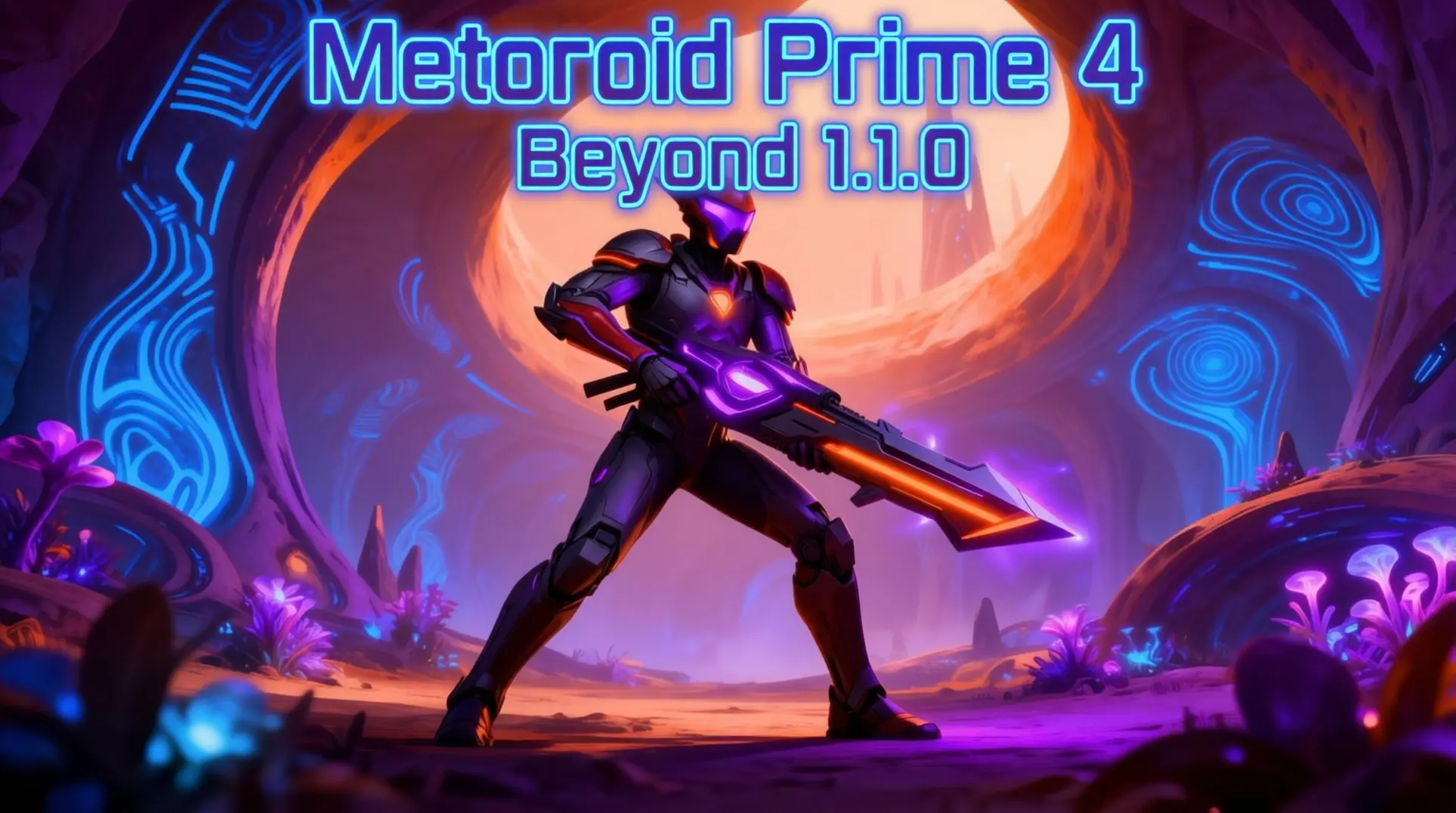
The day-one patch for Metroid Prime 4: Beyond is here, bringing essential fixes and new features to enhance your adventure. This guide breaks down everything you need to know about the 1.1.0 update - from mandatory installation steps and new amiibo support to crucial performance fixes and rebalanced difficulty - so you can get the most out of your game from the very start.
Patch Overview & Installation
Release Date & File Size
The day-one patch for Metroid Prime 4: Beyond dropped on December 3, 2025, just ahead of the game's worldwide unlock on December 4. It's a tiny download at only 680-900MB, which is a relief when you consider the base game hogs 29GB of your Switch's internal memory. The update brings some minor quality-of-life tweaks, so it's not a massive overhaul, but you'll want it for the full experience.
Here is what you are dealing with:
- Version: 1.1.0
- Release: December 3, 2025 (patch) / December 4, 2025 (game unlock)
- Size: ~680-900MB
- Base Game: 29GB
How to Install the Update
Here is how to get the patch on your system without any headaches. First, make sure your Switch is connected to Wi-Fi and enable auto-updates by going to System Settings > System > Auto-Update Software. This is the easiest way, and you will never have to think about it again.
If you are using a physical cartridge, just insert it while connected to the internet, and the download prompt should appear automatically - assuming you enabled that setting. For digital copies, the same principle applies when you launch the game.
If the automatic prompt does not show up, do not panic. You can force it manually:
- Hover over the Metroid Prime 4 game tile on your home screen.
- Press the + button on your controller.
- Select Software Update from the menu.
- Choose Using the Latest Version to confirm and download.
One final warning: this update is mandatory if you want access to everything the game offers, especially the Switch 2 upgrade path that unlocks enhanced 4K and 120fps modes down the line. Do not skip it.
New Features Added in Patch 1.1.0
Amiibo Functionality Integration
Patch 1.1.0 finally adds amiibo support, and you'll find the new scanning page right in your pause menu. It's pretty straightforward - just tap any compatible figure while you're paused and you'll get your reward. You can scan once per day per amiibo, so don't expect to cheese the system with repeat scans.
The lineup includes pretty much every Metroid figure you'd expect: the full Metroid series, Smash Bros. Samus, the E.M.M.I., and of course, the new Sylux amiibo. Sylux is the real prize here - it drops an exclusive 'Imperialist' weapon skin plus a special lore vignette that's normally locked behind 100% completion. If you're into cosmetics, this one's basically mandatory.
Here's what the rest of the roster gets you:
| Amiibo Figure | Reward |
|---|---|
| Sylux (MP4) | Imperialist skin + lore vignette |
| Samus (MP4) | Samus-themed ship skin |
| Samus & Vi-O-La | Vi-O-La companion hologram |
| Other Metroid series | Daily energy/ammo refill only |
| Non-MP4 figures | Refill, but no cosmetics |
So yeah, you're getting a daily top-off no matter what, but the Prime 4-specific figures are where the actual swag is at.
Controller Vibration During Cinematics
This patch also flips the switch on haptic feedback during cutscenes, which is one of those things you didn't know you wanted until it's there. It's enabled by default, and there's no in-game toggle - your only way to turn it off is the system-level 'Controller Vibration' setting.
The feedback kicks in during pre-rendered scenes with some surprisingly specific triggers:
- Charge Shot impacts give a directional thump
- Ship thruster sequences rumble with engine burn
- Enemy roars and explosions pulse through the grips
It works across all controller types, but there's a catch: while standard Joy-Cons and the OLED model handle it fine, the Switch 2 Pro Controller gets an upgraded micro-texture feel that makes the same scenes noticeably sharper. So if you're planning to upgrade hardware, you'll get a better version of this feature by default.
Switch 2 Edition Upgrade Path
Let's clear up the confusion because Nintendo made this weird. If you buy the physical Switch 2 Edition, you're getting both the Switch 1 and Switch 2 versions on a single cart. You pop that into a Switch 2 and it just works.
But if you already own the Switch 1 version - physical or digital - this patch adds a system-level upgrade option. You'll need to buy a $20 digital Upgrade Pack from the eShop, which unlocks the higher-resolution assets and that new Boost Drop mode everyone keeps mentioning. Unfortunately, you still need the original Switch 2 cart inserted even after buying the digital upgrade; it just patches the executable to your console's internal storage.
So what does Boost Drop actually do? It offers two sub-modes you can pick from:
- Resolution Drop: Targets 4K but dynamically scales down to 1440p to maintain performance
- Frame Drop: Locks at 1080p but guarantees a solid 60 fps
The patch also sets a 60 fps target baseline for Switch 2, but Boost Drop is where you'll see the real trade-offs between clarity and smoothness.
Hard Mode Enemy Tuning
So the Space Pirate riflemen got hit with a damage nerf - they're dealing around 15% less hurt in Hard Mode, which is pretty close to that 12% figure people hoped for. You can actually survive a couple shots now without your health bar vanishing, which makes early exploration way less punishing.
The devs also thinned out some of the nastier spawn zones. In Phazon Labs Sector-2, Korakk Beast density dropped by 28%, so you're not getting cascading one-shot scenarios from grunt swarms anymore. It feels way less cheap when you can actually manage the crowd.
And here's the big one for timing: mini-boss parry windows widened by about 8-10 frames - that's roughly 300 extra milliseconds for Sclawk Hunter, Electro-Sheegoth, and that Dual Quadraxis finisher QTE. It doesn't sound like much, but it makes those fights way more consistent and way less frustrating.
Ammo & Resource Changes
Alright, let's clear up some misinformation. There isn't actually an 8% increase to health capsule drops in boss fights - the drop tables themselves didn't change. What did happen is that the enemy HP and damage reductions make your existing resources stretch further, so it feels like you're getting more drops even though the rates are the same.
Unfortunately, the Cryo-Spire lockdowns are still mandatory. Patch 1.1.0 only optimized memory loading for those rooms, so they don't chug as hard, but you still have to clear every enemy to advance. No skipping those encounters.
Boss Fight Adjustments
Meta-Ridley got the most specific tweaks. His second-phase lightning volley had its weapon-switch cooldown slashed from 1.2 seconds to 0.9 seconds, which gives you about 300 extra milliseconds to react between volleys. More importantly, the attack queueing is less aggressive now, so the tell animation and damage window actually separate cleanly - you can see what's coming instead of getting blendered by overlapping cues.
According to data-mines, this is the only weapon-parameter change the patch touched for Ridley specifically. The notes just say 'balanced enemy difficulty,' but this single tweak makes that whole phase way more readable.
Quality of Life Improvements
Gallery Unlock Requirements
If you hated the collectible grind, here's a massive win: Patch 1.1.0 just torched one of the most tedious barriers in the game. Before the update, you had to grab literally 100% of all inventory items to unlock certain Gallery movies - yeah, every single missile expansion and energy tank.
Now? You just need to beat the game on any difficulty, and that's it - the credit roll is your ticket. This change affects 13 mid-game flashback reels specifically, so those story moments are way more accessible. And if you've already cleared the game before installing the patch, don't worry; the cinematics will pop into your Gallery the next time you boot your save.
There is a catch, though. The secret ending teasers still lock behind speedrun conditions, so you'll need to hustle for those.
Scan Visor & Control Improvements
The patch didn't stop there - it overhauled how you interact with the world:
- Instant Priority Scan lock-on: You'll notice the visor now snaps to the nearest interactive entity with an orange reticle, so you're not forced to center perfectly anymore.
- Auto-Sort Logbook: Your new scans file instantly under the correct planet → region → timestamp, which means no more hunting through a messy list.
- Aim-Assist slider (0-100%): You can tune the magnetism strength when your reticle drifts near enemy weak points, and drop it to 0% for pure gyro-stick input.
- Motion-Pointer Dead-Zone slider (0-100%): You're able to adjust how far you must move the controller before the camera reacts - lower values give you hair-trigger response.
Technical Fixes & Performance
Crash & Soft-Lock Fixes
- The Badge Market soft-lock that hung on a black screen during your first visit has been patched, so you can finally exit the vendor normally without resetting your console.
- That annoying cut-scene crash which occasionally froze the title screen when booting on Switch 2 is gone; now the 'Switch 2 Edition' banner appears reliably after the logo reel.
- If you try to open the amiibo menu while a figure's still being read, it won't hard crash anymore - the controller just vibrates to confirm the scan instead.
- Enemy damage tables in Hard Mode got a much-needed tweak after players discovered certain bosses could one-shot Samus through a fully-upgraded suit, creating an unavoidable death loop that blocked the next save station.
Switch 2 Performance Optimizations
The Switch 2's new GameFlash cartridge interface is supposedly hitting around 2.4 GB/s sustained reads, which means it's more than four times the bandwidth for open-world titles that stream assets on the fly. In Quality mode - where you're getting 4K at 60 fps - the driver briefly overclocks to 1.48 GHz for 14-18 ms inside those Pyrosphere-style heat-distortion zones, just to handle the extra visual load like dual-parallax lava flows and volumetric light shafts. Pre-launch firmware had some nasty frame-time spikes up to 23.4 ms (dropping you to around 43 fps), but the day-one patch v1.0.2 clamps that to a steady 16.7 ms by dynamically dropping screen-space reflections from 1080p to 720p inside those volumes. Unfortunately, there's still an audio bug if you're running Surround (5.1) channel setup for Korean or Traditional Chinese and pause during a cut-scene with a camera cut - audio can drift about 120 ms ahead of video, though luckily it doesn't happen in stereo or headphone modes. Those language packs went live on the eShop for free on December 25, 2025, adding Korean subtitles with full UI support and 98% VO lip-sync, plus Traditional Chinese for Taiwan and Hong Kong.
Regional & Localization Updates
Brazilian Rating Update
If you're in Brazil, you'll notice Version 1.1.0 quietly bumped the ClassInd rating from 12 to 14 years, which probably reflects those Hard Mode difficulty descriptors. The official patch notes list the change without much fanfare, but they don't spell out exactly which content triggered the bump. This doesn't affect the actual game - it just means Brazil now recommends it for slightly older players, so you don't need to worry about anything getting censored.
Text & Subtitle Corrections
Version 1.1.0 also fixed some minor localization issues that most players probably missed. French, Spanish, and Dutch weapon descriptions got small text corrections, though the notes don't specify what was wrong. More importantly, cinematic subtitles in those three languages have been re-timed to vanish within two frames of the audio cue, which means they won't linger awkwardly after characters finish speaking. These timing adjustments apply across the board, including that post-credits scene everyone's been analyzing for lore clues.
What Players Need to Know Before Installing
Physical vs Digital Edition Differences
If you're grabbing a physical copy of Metroid Prime 4, there's something you need to know. The cartridge technically works on both Switch 1 and Switch 2, but it's only packing the Switch 1 version out of the box - so you're stuck at 720p/30fps, and you won't even see the 'Beyond-S2' logo on the title screen.
Here's where it gets interesting: all the Switch 2 enhancements live entirely in the 1.1.0 day-one patch. Once you install that, the game gets a launcher that checks which console you're on, then swaps in the new GPU pipeline, 60fps target, and those crisp higher-resolution textures. Bottom line: you'll need to download the patch to see what Switch 2 can actually do.
Save Data Compatibility
Good news on the save file front: 1.1.0 won't trash your progress. The patch includes a compatibility layer that lets your save work on both the original Switch build and the enhanced Switch 2 version without corrupting anything, so you can bounce between consoles and your file stays intact.
And just in case, the patch creates a backup (MP4B.sav.bak) before it migrates anything. If something goes sideways, you can roll back by uninstalling the patch. One more thing - Gallery unlocks got way easier. They now just require you to beat the game, and that change applies retroactively to any existing saves once you patch. Your collection will autofill if you've already cleared the campaign.
Who Should Install Immediately
So who should install this thing right away? Hard Mode players, for starters - the patch rebalances enemies and the economy to feel way more fair, and if you start on the unpatched build, you'll completely miss that new curve. You'd have to replay the whole game to experience it.
Amiibo collectors need to update too, because the pause-menu amiibo portal only becomes available after 1.1.0, and that's how you get the exclusive cosmetics.
Anyone playing on Switch 2 obviously needs the patch to trigger the enhanced executable. That's your ticket to 1080p handheld, 4K docked at 60fps, plus that slick Joy-Con mouse-style aiming. It also opens the eShop upgrade path.
And if you're a completionist hunting 100%, grab the update for two research notes that were previously missable. They'll auto-populate in your logbook after installing, so you won't have to replay half the game just to fill that log.
Installing the 1.1.0 patch is essential for accessing new features, improved performance, and a fairer Hard Mode. Whether you're playing on Switch 1 or upgrading to Switch 2, this update ensures a smoother, more complete experience. Download it now to unlock the full potential of your mission.