Ultimate Guide to Dyson Sphere Program Performance Optimization for Console-Like Hardware
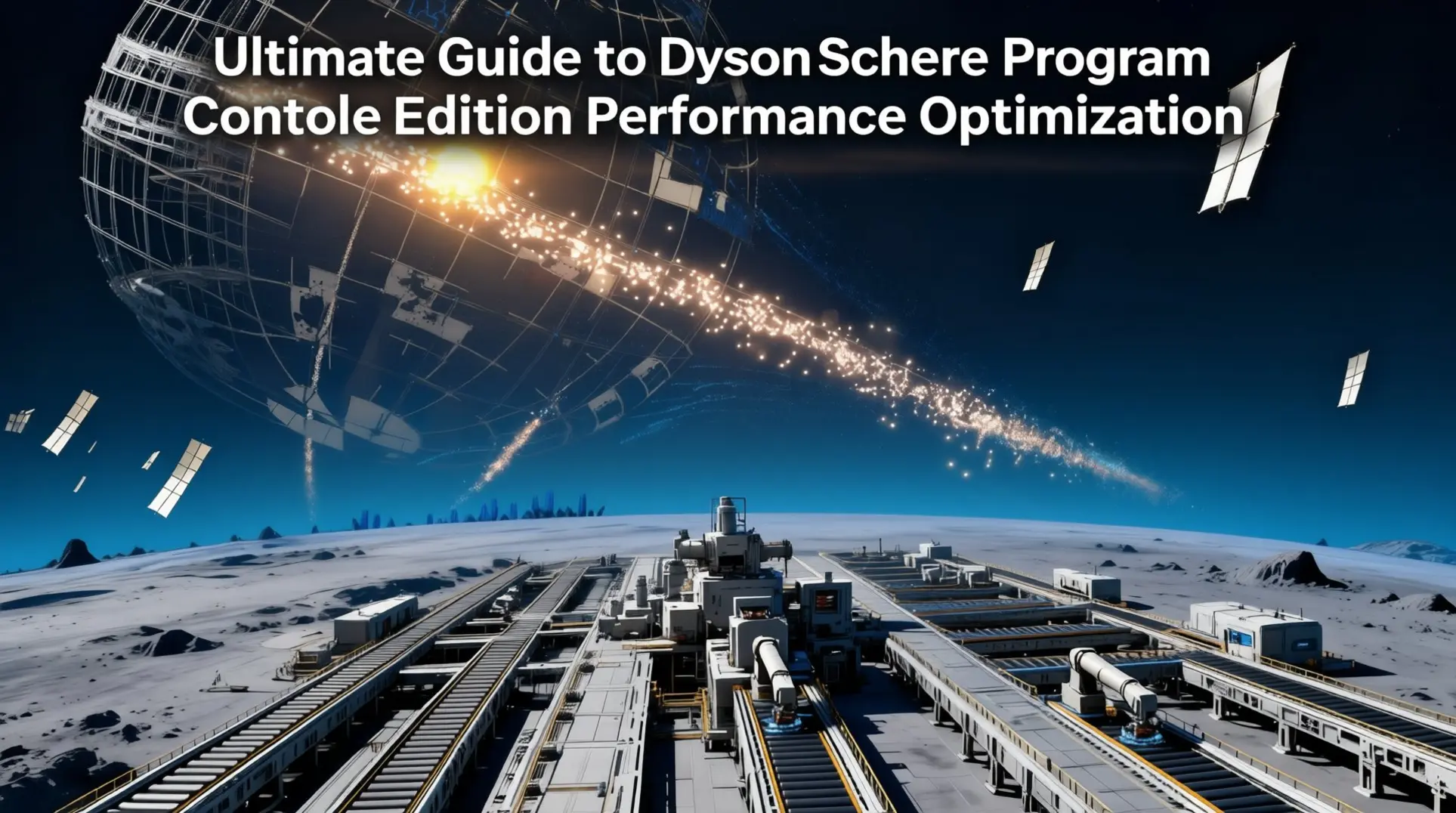
Building a sprawling interstellar factory in Dyson Sphere Program is a monumental achievement, but on console-like hardware, it can quickly turn into a slideshow. This comprehensive guide focuses on optimizing the PC version for living-room setups, Steam Deck, and other console-like hardware configurations. We'll cover essential settings, design patterns, and system tweaks to keep your megabase running smoothly.
Understanding Console-Like Hardware Limitations
First things first: as of early 2026, Dyson Sphere Program doesn't have a native console edition. When people talk about 'console' performance, they're really discussing the Windows build running on living-room PCs or Steam Deck setups.
The hardware everyone benchmarks against is Valve's Steam Machine concept, which packs a 30W CPU and 110W GPU into roughly a 120-140W thermal envelope. That's console-like power draw, but here's the kicker: it's priced like a PC, not a console. Valve's targeting the $699-$900 range, which means they're competing with desktops, not subsidized console hardware.
And the architecture? It's actually less console-like than you'd think. Instead of unified memory like an Xbox or PlayStation, the Steam Machine uses separate pools - 16GB of system RAM plus 8GB of VRAM, each tied to their own die. This split memory layout means some PC optimizations that rely on unified memory pools simply won't apply, and you'll need to be more deliberate about what you're loading where.
FPS vs UPS: What's Dragging Your Performance?
If your factory's chugging, the first step is figuring out whether you're GPU-bound or CPU-bound - because the fixes are completely different.
- FPS (Frames Per Second) is your GPU's job: it's how many pictures it can paint each second
- UPS (Updates Per Second) is the CPU's domain, measuring simulation ticks, and this one hurts when it drops because the game literally runs in slow motion
How to Diagnose Performance Issues
Fire up Task Manager and watch the 3D column:
- If it's pinned at 100% while your CPU cores are taking a coffee break, you're GPU-bound
- If you've got a Ryzen 9 5900X and an RTX 3090 and you're still stuttering at 1080p in late-game, you're almost certainly CPU-bound - DSP's factory logic is brutally single-threaded
The smoking gun is usually hundreds of thousands of sorters, proliferators, labs, and massive logistic chains choking that primary thread. Your UPS will plummet from the 60 cap down to 30 or lower, which means one in-game second takes two real seconds. Brutal.
To know for sure, hit P and check the Performance Test tab. That's your diagnostic holy grail - it shows real-time CPU and GPU load plus a full save file breakdown.
Essential In-Game Settings for Console-Like Performance
Video & Graphics Settings
Since there's no real console version, the discussion starts with FSR 3 - and you won't find it in any official menu. You'll need to inject it using the community-made FSR2-to-FSR3 wrapper through r2modman. This isn't a small boost either; we're talking 40-80% performance gains on living-room PCs and handheld APUs like the Steam Deck.
Key Graphics Settings:
- V-Sync: Leave enabled for console experience (prevents screen tearing on big TVs)
- Dynamic Resolution: Not available in-game, manual adjustment required
- Render Distance: Hard-cap around 200 km to stay within GPU memory budgets
Gameplay & Performance Settings That Matter
Logic Frame Thread Count is the single most important performance setting:
| Hardware Tier | Recommended Threads |
|---|---|
| PS5/Xbox Series X equivalent | 4-6 threads |
| Xbox Series S | 3 threads |
| PS4 Pro | 2-3 threads |
| Base PS4/Xbox One | 1-2 threads |
Safe approach: Set to Auto-Detect or Cores ×1 - the game usually picks the right value.
Other Critical Settings:
- Autosave Interval: 10 minutes (600+ hour saves) → 20 minutes (800+ hour megabases)
- Save Compression: Enable 'Fast' preset (patch 0.10.28.2+) for reduced write-time stutters
- Interstellar View Distance: Cap at 200 km for console-like performance
Audio & Interface Optimizations
Audio Settings:
- Max Sound Channels: Drop from 256 to 64-128 without quality loss
- Spatial Audio: Disable Windows Sonic/Dolby Atmos (DSP's built-in mixer is more efficient)
UI Optimizations:
- UI Layout Reference Height: Decouple from native resolution for better readability
- Performance Overlays: Disable 'Real-time Logistics Graph' and 'Dyson Sphere Preview' (saves 2-4 ms frame time)
Performance Mods for Console-Like Hardware
Note: These mods work on PC hardware configured for console-like performance, not on actual console hardware.
Essential Performance Mods
DSPOptimizations - The core performance mod that delivers 40-180% FPS improvements:
- Batches shell gravity calculations
- Compresses sail data
- Multithreads belt logic
- Cuts Dyson node lag
- Achievement-safe: Can be toggled on the fly
SphereOpt - Complete GPU rendering overhaul:
- 25-70% GPU load reduction
- Replaces vanilla sphere shaders with compute-based versions
- Uses instanced draw-calls and aggressive culling
- Transforms slideshow megastructures into playable builds
SampleAndHoldSim - Background system optimization:
- Scales back tick rate on distant, unused systems
- Helps with multiple remote mining operations
- Trade-off: Disables Milky Way upload
Steam Deck Specific Setup
Target: 60 fps at 1440p with 800-node Dyson sphere
Required combination:
- FSR 3 wrapper injection
- SphereOpt mod
- Maximum GPU power profile
- DSPOptimizations mod
Megabase Design Patterns for Maximum UPS
Belt & Sorter Optimization Strategies
Sorters are silent killers - every single one runs a tiny script every tick:
- 10,000 sorters = 6-7 ms CPU cost on Zen 2 (Xbox-level hardware)
- 50,000 belt segments = 4-5 ms CPU cost
Optimization Techniques:
1. Direct Insertion
- Saves 2 sorters + 2 belt segments per production step
- 720 white-matrix-per-minute line example:
- Removes 2,400 sorters
- Removes 3,000 belt sections
- Result: 2.5 ms off update time
2. T-Junctions vs Splitters
- Splitters add 3 extra belt entities
- T-merges just... merge
- 60-belt smelter setup: T-merges save ~120 entities (0.2 ms)
3. Vertical Belt Management
- Every ramp adds 2 colliders
- Use stacked foundations for height
- Cap vertical belts wherever possible
4. Sorter Upgrades
- MK-III sorters cost same script time as MK-I
- One player: 720-white block MK-I → MK-III
- Removed 28% of buildings, UPS jumped 54 → 62 (Series S)
5. Buffering Strategy
- Storage boxes: 6,000 items, zero per-tick cost when full
- Avoid ILS stations for buffering (adds vessels, animations, pathfinding)
Logistics Network Optimization
Station Types & Performance:
| Station Type | Drones | Vessels | Use Case |
|---|---|---|---|
| PLS (Planetary) | 50 | 0 | Local distribution |
| ILS (Interstellar) | 100 | 10 | Main logistics hub |
Drone/Vessel Capacity Scaling:
- Base: 25 items (drones), 1,000 items (vessels)
- With research: 200 items (drones), 2,000 items (vessels)
- With Proliferator Mk.II/III: 400 items (drones), 4,000 items (vessels)
Performance Optimization Tips:
1. Distance Management
- Keep travel time under 30 seconds
- Spread Demand points across planet
- Use logistics overlay (D-pad ←) to spot bottlenecks
2. Charging Infrastructure
- Each ILS: 60 MW dedicated charging (sequential)
- Solution: Add 6 Thermal Power Stations (12 MW each)
- Result: Charge time under 1 second per vessel
3. Load Management
- Set 'Min Load' to 10% on low-priority items
- Prevents simultaneous drone lifts (grid brownouts)
4. Console-Specific Limits
- Cap planetary drones at 1,000
- Console trick: Hold Y (△) to create blueprint, auto-pulls inventory
- Dual-station trick: 2 ILS 1.5 tiles apart = 20 vessels total
5. Orbital Collectors
- Count as external supply (25 vessels each)
- Use dedicated 'ferry' ILS for hydrogen/deuterium
- Prevents main logistics web congestion
Dyson Sphere Construction for Performance
Node Management:
- Keep node count ≤ 2,500 per sphere
- Frame-time spikes get nasty after this threshold
Pattern Optimization:
- Honeycomb pattern: 85% output of solid shell
- Uses only 12% of draw calls
- Massive performance win
Shell Management:
- Unfinished shells: Animate sails every 0.2 seconds (expensive)
- Completed sphere: Static mesh, 35% UPS reduction
- Rule: Finish what you start, always
Early Game Power:
- 800-node equatorial ring: 30-40 GW production
- Stays under 2,500-node limit
- Enough for mid-game without performance tank
Visual Effects:
- Disable 'Sail Trail FX': Saves ~4 ms GPU time (Series S, 1440p)
- Toggle in Settings → Video → Effects
Hardware-Specific Optimization Guide
Early Game: Foundation for Performance (0-100 Hours)
Landing Site Selection:
- Flat grassland touching 2 iron + 1 copper nodes (within 120m)
- Avoid large inland lakes (water foundations add physics calculations)
- Stay within 30° of equator (consistent wind power)
Build Pattern:
- 4×4 foundation template: Miner → Smelter → Assembler → Storage
- Place splitters on grid edges for perfect underground belt alignment
- Keep power draw under 300 kW until green matrix research
- Resist vertical smelting towers until MK-II sorters
Console-Specific Limits:
- PS4/Xbox One: Keep total entities under 12,000
- Delete obsolete miners/smelters immediately
- Series X|S/PS5: Can use DSPOptimizations mod via Thunderstore
Mid Game: Scaling Without Sacrificing FPS (100-300 Hours)
Building Limits:
- Cap each planet at 6,000 buildings total
- Use efficient 48-smelter blueprint grids
- Reduces both sorter and belt entity counts
Logistics Replacement:
- Single ILT replaces ~500 belt segments
- Test case: 2,000 belt lines → 4 ILTs = +8 fps (Series X)
Dyson Swarm Management:
- Switch to rigid shells ASAP (Small Carrier Rockets)
- One shell mesh: <1% CPU usage
- Continuous sail launches: Eat frames for breakfast
Node Placement:
- 30° dense pattern: 1 node supports 9 sails vs 2 at 15°
- Cuts frame calculations in half
Maintenance Routine:
- Every 10 hours: Statistics → Performance → Purge obsolete swarm
- 5,000 dead sails = 3-5 fps recovery
- Copy save to new slot, delete old (compression)
Late Game: Megabase Optimization (300+ Hours)
Logistics Station Limits:
- Cap vessel traffic to 'Steady'
- Never exceed 50 active vessels per station
- 4-core APUs (console hardware) can't handle more
Dyson Sphere Optimization:
- Set shell LOD to 'Low'
- Impose 2-layer cap with ≤2,000 nodes
- Result: 15-30% FPS recovery
- Each additional layer = linear GPU draw-call costs
Belt vs Drone Scaling:
- Belts scale O(n)
- Drones scale O(n²)
- 50-tower mall planet = performance murder
- Solution: Direct belt snakes feeding PLS ports
- Result: 8-12 UPS recovery
Performance Monitoring:
- Statistics → Performance
- 'Dyson' > 12 ms or 'Logistics' > 18 ms = trouble
- Immediate fix: Delete 20% of stations on busiest planet
- Still struggling: Enable BulletTime (trades sim speed for smooth frames)
Hardware Reality Check:
- Base Xbox One/PS4: Limited optimization ceiling
- Current-gen refresh: ~35% more UPS headroom (Zen-4 architecture)
- Keep 'lite' save: No sphere layers >2 for cloud experiments
System-Level Optimizations
Thermal Management & Cooling
The Heat Problem:
- DSP is CPU-heavy, single-core bound on console-like hardware
- APUs can push past 90°C during intense calculations
- Console firmware drops clocks 100-250 MHz when hot
- Result: 8-15% FPS loss from thermal throttling
Immediate Cooling Solutions:
Hardware Positioning:
- Xbox Series X: Stand vertically (3°C reduction from better airflow)
- PS5: 8cm side clearance minimum (intake vents need breathing room)
Active Cooling:
- Vacuum top exhaust during Rest Mode
- Disable 120Hz output if TV only supports 1080p@120Hz (frees 6W for CPU)
- 120mm USB fan (7-9 CFM) clipped to rear exhaust: 3°C reduction
In-Game Thermal Reduction:
- 'Dyson Sphere Visibility': 'Shell Only' or 'Nodes Only' (200+ GW)
- 'Swarm Visibility': 30%
- 'Shadow Quality': Medium
- Cuts draw calls and GPU power = more thermal headroom for CPU
Nuclear Option - APU Repasting:
- High-viscosity compound: Honeywell PTM7950 or similar pad
- Temperature drop: 6-10°C
- Clock boost: 200 MHz higher sustained
- Practical benefit: Postpones UPS wall by ~30% in mega-factories
Troubleshooting & Performance Monitoring
Performance Diagnostic Flowchart
Step 1: Identify the Bottleneck
GPU-Bound Symptoms:
- GPU monitoring shows <100% usage
- CPU threads 0 or 3 not maxed
- Frame drops but UPS stays high
CPU-Bound Symptoms:
- CPU thread 0 or 3 maxed out
- UPS drops below 60
- Game runs in slow motion
Memory-Bound Symptoms (Console-like Hardware):
- Micro-stutters not showing as frame drops
- Working set ballooning past 7GB (Series S)
- Streaming pauses during gameplay
CPU-Bound Solutions
Immediate Fixes:
- Split belt balancers >180 items/sec into 4-belt chunks
- Switch to PLS/ILS 'logistics choke' design (fewer calculations)
- Cap active vessels at 300 (set ILS to 'Orbital Collection' only)
- Keep drone counts <2,000 per planet (30% AI pathfinding reduction)
- Migrate large arrays >20k items to off-world planets
- Cut ray-receivers to 300 and switch to continuous mode
GPU-Bound Solutions
Visual Optimizations:
- Disable 'Dyson Sphere Render': 30-40% FPS recovery
- Simplify sphere geometry: Limit nodes to 80k
- Reduce sphere layers: 1,000 per node, use 'Dense' setting
- Drop resolution scale to 85%: 25% FPS boost (barely noticeable on TV)
- Disable Volumetric Clouds and SSAO: Biggest GPU killers
Console-Specific:
- Cap frame rate to 60 fps (prevents GPU power throttling)
- Cap to 30 fps if UPS <60 (Performance Mode on Series S)
Memory Management (Console-Like Hardware)
The Memory Leak Problem:
- Game leaks memory every 45 minutes on console-like hardware
- Never releases texture atlases for built structures
- After 3 hours (Series S): working set >7GB
- Causes micro-stutters not visible as frame drops
Workaround:
- Save, quit completely, reboot every 90 minutes
- Keep entity count <300k (Statistics → Production)
- Finish or delete old sphere layers (queued layers keep full geometry)
- Limit star count to 400 at seed creation (300-star cluster = 0.8-1.1 GB RAM savings)
Common Performance Issues & Quick Fixes
| Issue | Symptoms | Quick Fix |
|---|---|---|
| Stuttering every 5 seconds | Regular micro-freezes | Change autosave to 5 minutes, close Starmap overlay |
| Memory leak after hours | Increasing stutters, poor performance | Hard reboot every 90 minutes |
| Save file bloat | Save file >25 MB | Deconstruct unpowered buildings (Statistics → Production) |
| Weird FPS drops with low GPU usage | Frame drops despite low GPU load | Hidden Dyson sphere layer problem - finish/delete queued layers |
Console-Specific Performance Killers
Settings to Change:
- Shadows: OFF (8-12% GPU time reduction)
- Logistic drones: Limit to 50 per planet (30% AI pathfinding reduction)
- Vessel animation: Set to 'Low' with 500+ vessels (2-3 ms/frame savings)
- Frame rate cap: 30 fps in Performance Mode (Series S with <60 UPS)
Benchmarking & Progress Tracking
F11 Overlay - Your Performance Dashboard
Critical Metrics:
- CPU: main-thread ms, render-thread ms, factory-system ms, power-system ms
- GPU: frame time, GPU occupancy %, shader passes, draw-call count, memory-used/budget
- Turn off 'Real-Time' button (costs 5-8% console CPU core)
Baseline Performance Targets:
| Game Stage | Frame Time | GPU Usage | CPU Main | Draw Calls |
|---|---|---|---|---|
| Starter Planet (4K60) | 8.3 ms | 35% | 5.2 ms | Baseline |
| 100 Sail Swarm | +1.2 ms CPU | +400 calls | 6.4 ms total | +400 |
| 500 Node Ring | 14 ms max | Variable | <11 ms total | Warning threshold |
| 5,000 Node Sphere | 25-30 fps expected | High | CPU-bound | Heavy optimization needed |
Progress Tracking Spreadsheet:
Log these numbers at key milestones:
- Leave Planet 1
- 100 Sail Swarm
- 500 Node Ring
- 5,000 Node Sphere
Track: Frame ms, GPU %, CPU main, Draw-calls
Diagnostic Checklist:
- Turn off Real-Time in F11
- Compare CPU vs GPU bars (red = problem area)
- Check save size >25 MB for cleanup needed
- Console-like hardware: Hard reboot, limit stars 300-400, cap drones 50/planet
Hardware Comparison & Optimization Summary
| Hardware Type | Target FPS | Key Optimizations | Mod Recommendations |
|---|---|---|---|
| Steam Deck | 60 @ 1440p | FSR 3, SphereOpt, Max GPU profile | DSPOptimizations, SphereOpt |
| Series S | 60 @ 1080p | 30 fps cap if UPS <60, 50 drones/planet | DSPOptimizations |
| Series X/PS5 | 60 @ 4K | 4-6 logic threads, 200km view distance | All mods safe |
| PS4 Pro | 30 @ 1080p | 2-3 logic threads, aggressive entity limits | Limited mod support |
| Base PS4/X1 | 30 @ 900p | 1-2 logic threads, <12k entities | No mods, manual optimization |
Final Thoughts
Optimizing Dyson Sphere Program for console-like hardware is a constant battle against hardware limits and game engine quirks. The key is building smarter, not bigger - efficient factory design and strategic settings will take you further than brute-force expansion.
Remember the golden rules:
- Monitor performance with F11 overlay regularly
- Design for efficiency from the start (direct insertion, T-junctions)
- Manage logistics carefully (cap drones, optimize vessel routes)
- Keep spheres under control (2,500 nodes max, finish what you start)
- Reboot regularly on console-like hardware to prevent memory leaks
With these optimizations, you can push your galactic empire further than ever before on console-like hardware. The satisfaction of a smoothly running megabase is worth the extra planning effort.
Pro Tip: File bug reports with Youthcat when you hit performance walls. Include F8 profiler screenshots and save files - they push optimization updates every 8-10 weeks, and your pain might help the next patch.
More dyson-sphere-program-console-edition Guides

The Complete Guide to Defeating the Dark Fog in Dyson Sphere Program
A comprehensive guide covering Dark Fog enemy types, turret defenses, Icarus weapons, military tech, and strategies from early to end-game.

The Ultimate Guide to Building a Dyson Sphere in Dyson Sphere Program
A step-by-step guide to constructing a Dyson Sphere in Dyson Sphere Program, from tech unlocks to multi-system scaling. Learn production ratios, construction mechanics, and optimization.

The Hidden Story of Dyson Sphere Program: Digital Immortality and Corporate Hubris
Uncover the profound narrative of Dyson Sphere Program, where building Dyson Spheres powers a simulation containing humanity's last remnants. Explore digital afterlife and COSMO's legacy.
AI Tactical Companion
Consult with our specialized tactical engine for dyson-sphere-program-console-edition to master the meta instantly.